| Text | Raw URL |
|---|---|
| Get started | https://canonical-microceph.readthedocs-hosted.com/stable/_sources/tutorial/get-started.rst.txt |
| How-to guides (index) | https://canonical-microceph.readthedocs-hosted.com/stable/_sources/how-to/index.rst.txt |
| How to install MicroCeph on a single node | https://canonical-microceph.readthedocs-hosted.com/stable/_sources/how-to/single-node.rst.txt |
| Multi-node install | https://canonical-microceph.readthedocs-hosted.com/stable/_sources/how-to/multi-node.rst.txt |
| Configure RBD client cache in MicroCeph | https://canonical-microceph.readthedocs-hosted.com/stable/_sources/how-to/rbd-client-cfg.rst.txt |
| Configure Openstack Keystone Auth in MicroCeph RGW | https://canonical-microceph.readthedocs-hosted.com/stable/_sources/how-to/integrate-keystone.rst.txt |
| Configuring Cluster network | https://canonical-microceph.readthedocs-hosted.com/stable/_sources/how-to/configure-network-keys.rst.txt |
| Enabling metrics collection with Prometheus | https:// |

Bradley Tollett CodeBradley

CodeBradley
/ mysql-to-postgres-key-differences.md
Created
July 30, 2025 19:27
MySQL to PostgreSQL: The Ultimate Transition Guide
As a MySQL developer venturing into PostgreSQL territory, you're about to discover a database system that shares many similarities with MySQL while offering a distinctly different philosophy and feature set. This guide will walk you through the major architectural differences before diving into the intricate details that make PostgreSQL unique.
CodeBradley
/ linkding-cards.css
Created
March 17, 2025 22:13
— forked from ttscoff/linkding-cards.css
Custom CSS to give linkding a dark, card-based layout
This file contains hidden or bidirectional Unicode text that may be interpreted or compiled differently than what appears below. To review, open the file in an editor that reveals hidden Unicode characters.
Learn more about bidirectional Unicode characters
| /* | |
| Card-based layout for Linkding | |
| Large images, fully clickable | |
| Entire card selectable in bulk edit mode | |
| Tags moved to expandable sidebar | |
| Author: Brett Terpstra (https://brettterpstra.com) | |
| GitHub: @ttscoff <https://github.com/ttscoff> | |
| License: MIT | |
| */ |
CodeBradley
/ omv7-cm3588-zfs.md
Last active
January 13, 2026 03:12
How to Setup Open Media Vault (OMV) 7 on FriendlyElec CM3588 Nas Kit with ZFS
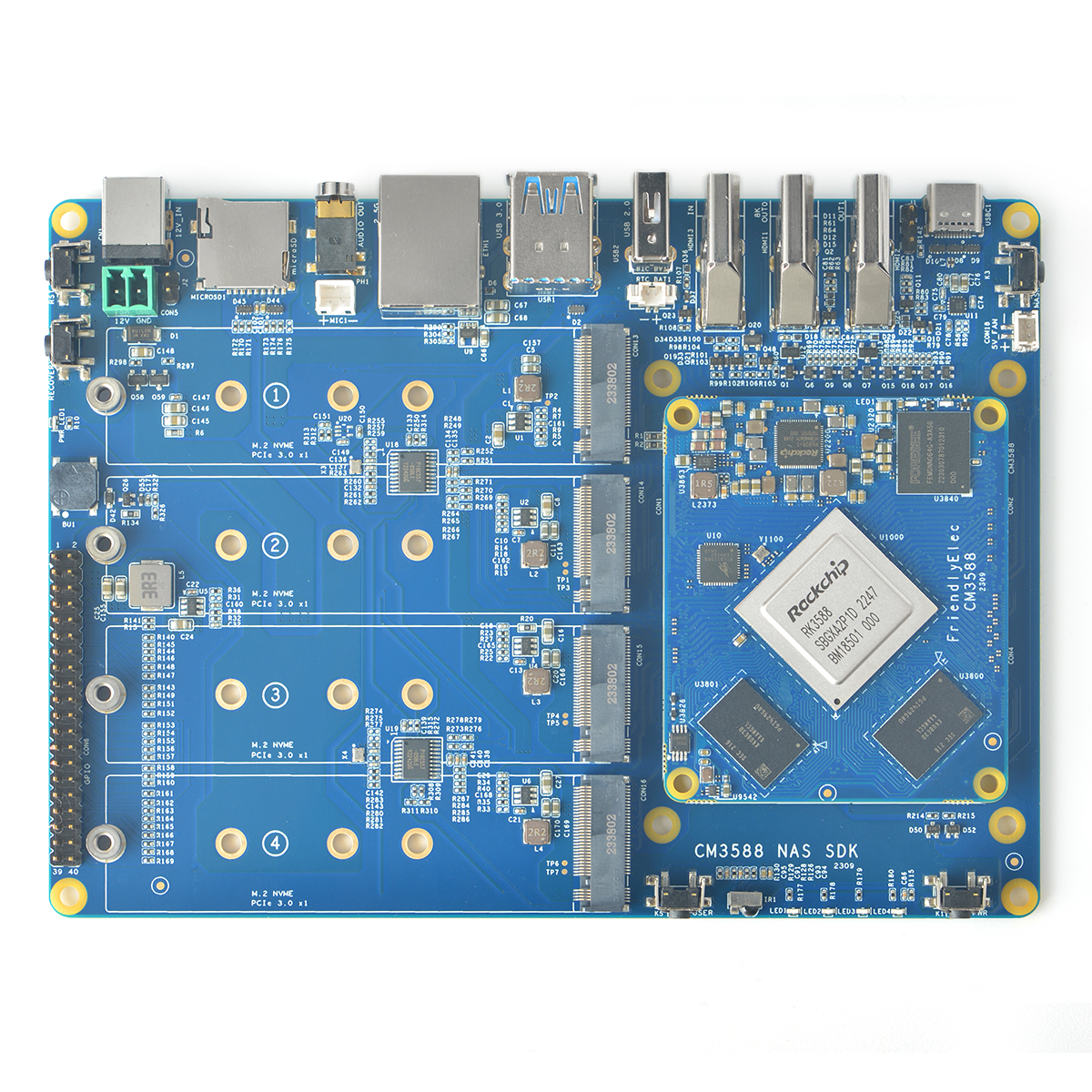
The FriendlyElec (NanoPC) CM3588 is a RK3588 based solution with 4/8/16GB LPDDR4x memory and 0/64GB eMMC flash storage. The inital carrier board released with the CM3588 features 4x M.2 NVMe SSD slots (PCIe 3.0 x1 each) and a 2.5gbps RJ45 port, making it an attractive option for a low powered silent NAS at $130/$145/$174 depending on which RAM configuration you purchase.
I ordered this in response to the LTT video. I have seen a few people struggling to configure these, and figured I would offer some basic guides in order to get those who need some assistance on getting their NAS up and going.
I will be using the precompiled Debian 12 installer found [here.](https://drive.google.com/drive/folders/1FoBbP_nPkMehwBj4wH