
A userscript for displaying the actual date & time (relative to local time) of when a Twitch clip (and video) was created.
FYI: It only works on URLs that start with https://clips.twitch.tv/.
This script does not work with URLs that are on the Twitch "channel pages" (https://www.twitch.tv/CHANNEL_NAME_HERE/clip/...).
This has been added as of v0.5.0.
"Under the hood" the script uses Date.toLocaleString() to format the date. The format of the date & time may differ from the screenshots below.
- Something like the Violentmonkey extension installed for your browser.
- Install a userscript extension (such as Violentmonkey).
- Click on this link when Violentmonkey is installed, and it will prompt you to install the userscript.
If you have any requests or suggestions, feel free to join my Discord server for all my projects.
- v0.7.0 - 2024-05-09
- Fixed the script so it now supports the new clip.twitch.tv layout.
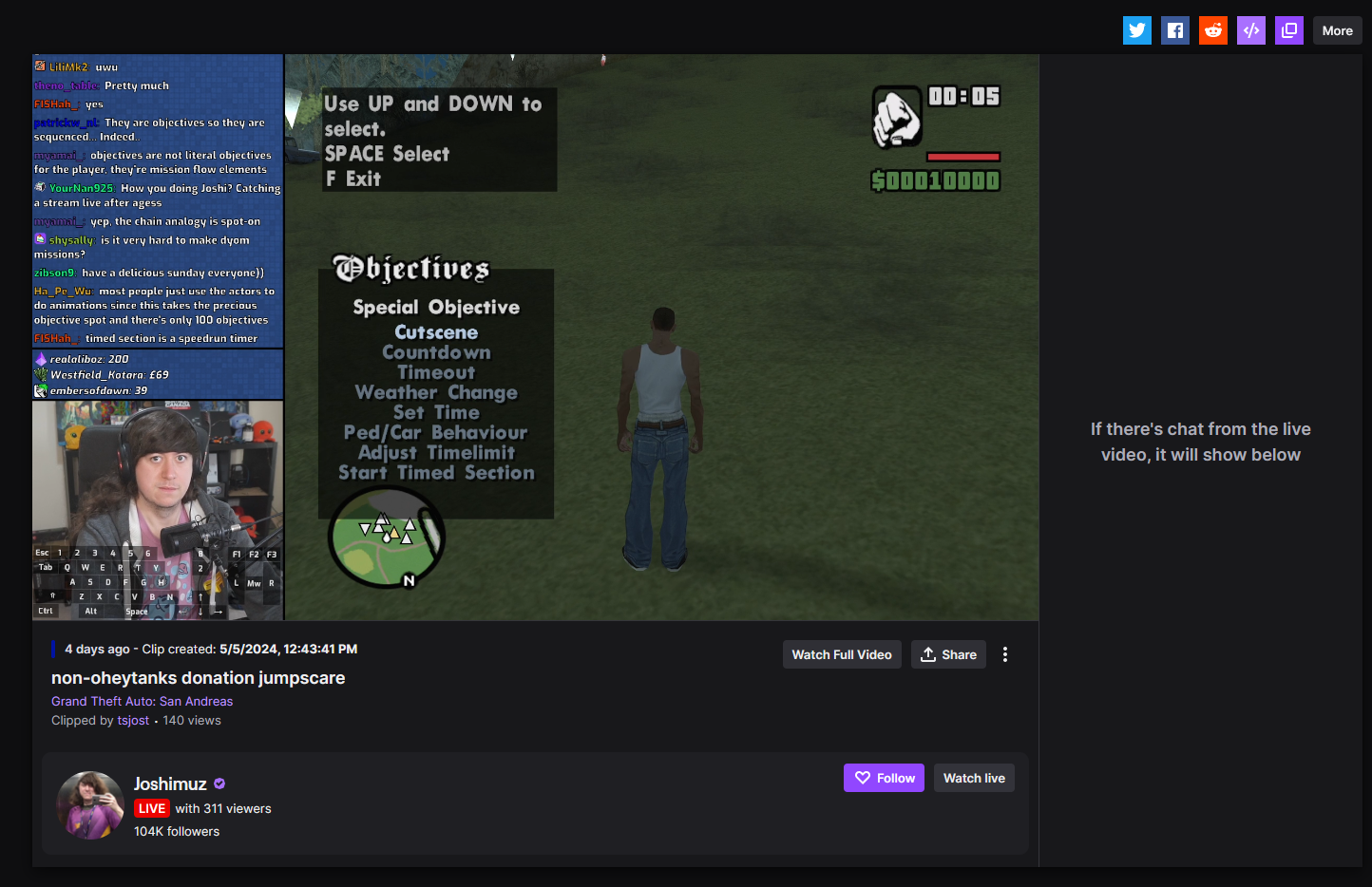
- Since they now use a similar layout as the main Twitch website, the position of the timestamp has been moved below the player. See screenshots at the bottom of this README.
- Fixed the script so it now supports the new clip.twitch.tv layout.
- v0.6.0 - 2022-01-03
- Added support for Twitch videos (VODs, highlights)
- Switched API to use the new Twitch API (Helix) via an "API proxy" I host using Cloudflare Workers.
- The observer should no longer disconnect after the first timestamp, allowing browsing to other videos/clips to work.
- v0.5.1 - 2021-12-30
- Minor bug where it tried to fetch the date & time of a clip when watching highlights/VODs.
- At some point I'll update the script to support VODs/highlights, but for now I'm sticking to clips.
- Minor bug where it tried to fetch the date & time of a clip when watching highlights/VODs.
- v0.5.0 - 2021-12-30
- Script now supports clips on Twitch channel pages (e.g.
https://www.twitch.tv/$channelName/clip/$clipSlug)- The
@matchrule will sayhttps://www.twitch.tv/*to support navigating from the channel page to the clip page, otherwise script wouldn't load on regular Twitch browsing.
- The
- Script now supports clips on Twitch channel pages (e.g.
- v0.4.1 - 2021-08-29
- Make script compatible with Tampermonkey again.
- v0.4.0 - 2021-08-29
- Date/time placement was adjusted due to changes in the page on Twitch's end. See screenshots.
Previously I used Tampermonkey, but later switched to Violentmonkey. During my testing, I tested with Violentmonkey and it worked fine. However, if you're currently using Tampermonkey, v0.4.0 does not work. I'm unsure as to why, but I'll try to look into it.- Fixed in v0.4.1
As of v0.4.0, the timestamp shows up a bit different compared to earlier versions.
As of v0.7.0, the script was updated to support the new clips.twitch.tv layout. The timestamp was moved to be below the video player.
When browsing Twitch channel clips on the main Twitch website.
Only v0.5.0 (December 30th, 2021) and newer
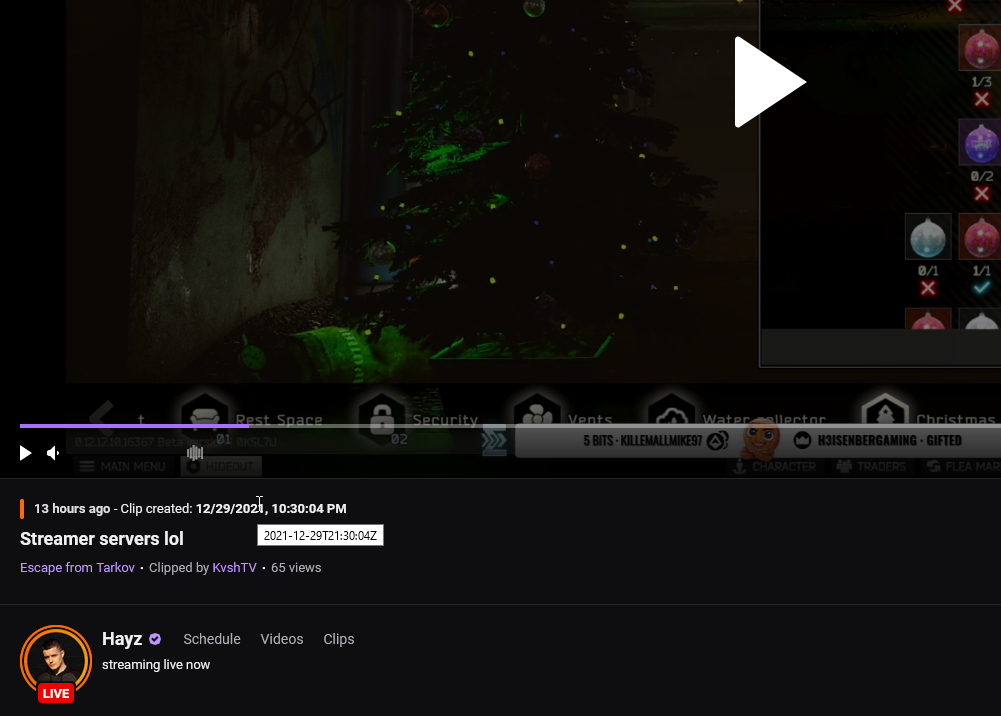
As of v0.6.0 (January 3rd, 2022), the script also works with Twitch videos (VODs, highlights).


@randomname42
The script should already display in your local timezone, assuming your device's date & time is set correctly and your browser is picking it up. I'm not doing anything fancy with that, simply relying on the browser to deal with any formatting and timezone calculation: https://gist.github.com/Decicus/ec4745e680e06cfff5b1fa0a53fcff72#file-twitch-clips-datetime-user-js-L81-L83
You can hover over the timestamp and it will give you the raw UTC timestamp that Twitch's API has, which might be helpful. If you're in Central European [Summer] Time, like I am in - the UTC timestamp should be 2 hours behind the one being displayed.
With that said, I'm not sure that Twitch does VOD deletions on the exact time the VOD has been created?
I'm not going to say this as truth, but it's also possible that Twitch deletes VOD at any random time of day, assuming the VOD is past its expiry.