
Making pixelated effect with Amplify Impostors
Videos:
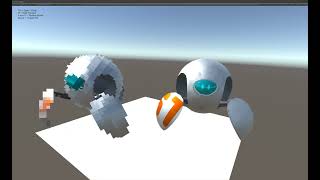

In my example I used this assets:
You need to bake an impostor for each mesh in your model
- Add
LODGroupscript to your mesh - Delete all LOD levels except the first one
- Select remained LOD group and delete all renderers except the one from this gameObject
- Add
AmplifyImpostorscript to your mesh - Create new
ImpostorAssetwith this settings:Bake Type-SphericalTexture size- 128-2048. Bigger object = bigger textureAxis Frames- feel free to experiment with this one, but keep in mind that many frames = few pixels per one frame
- Press
Bake Impostor. After a little time wildImpostorobject will appear as a child of your gameObject - Make sure that the renderer on your old object is turned off
- Repeat for all other meshes in your model
After that select all impostor textures in Project view and change Filter mode to Point (no filter)
You can download a demo and try it yourself: https://hermesiss.itch.io/pixelated-impostors

Thanks for the guide!