
Last active
November 21, 2021 17:44
-
-
Save a-l-e-c/1453e888cf8dacf94e9e73f534cbb413 to your computer and use it in GitHub Desktop.
Raspberry Pi: Play buzzer sound if internet connection drops or returns
This file contains hidden or bidirectional Unicode text that may be interpreted or compiled differently than what appears below. To review, open the file in an editor that reveals hidden Unicode characters.
Learn more about bidirectional Unicode characters
| from gpiozero import TonalBuzzer | |
| from gpiozero.tones import Tone | |
| from gpiozero.tools import sin_values | |
| from time import sleep | |
| import subprocess | |
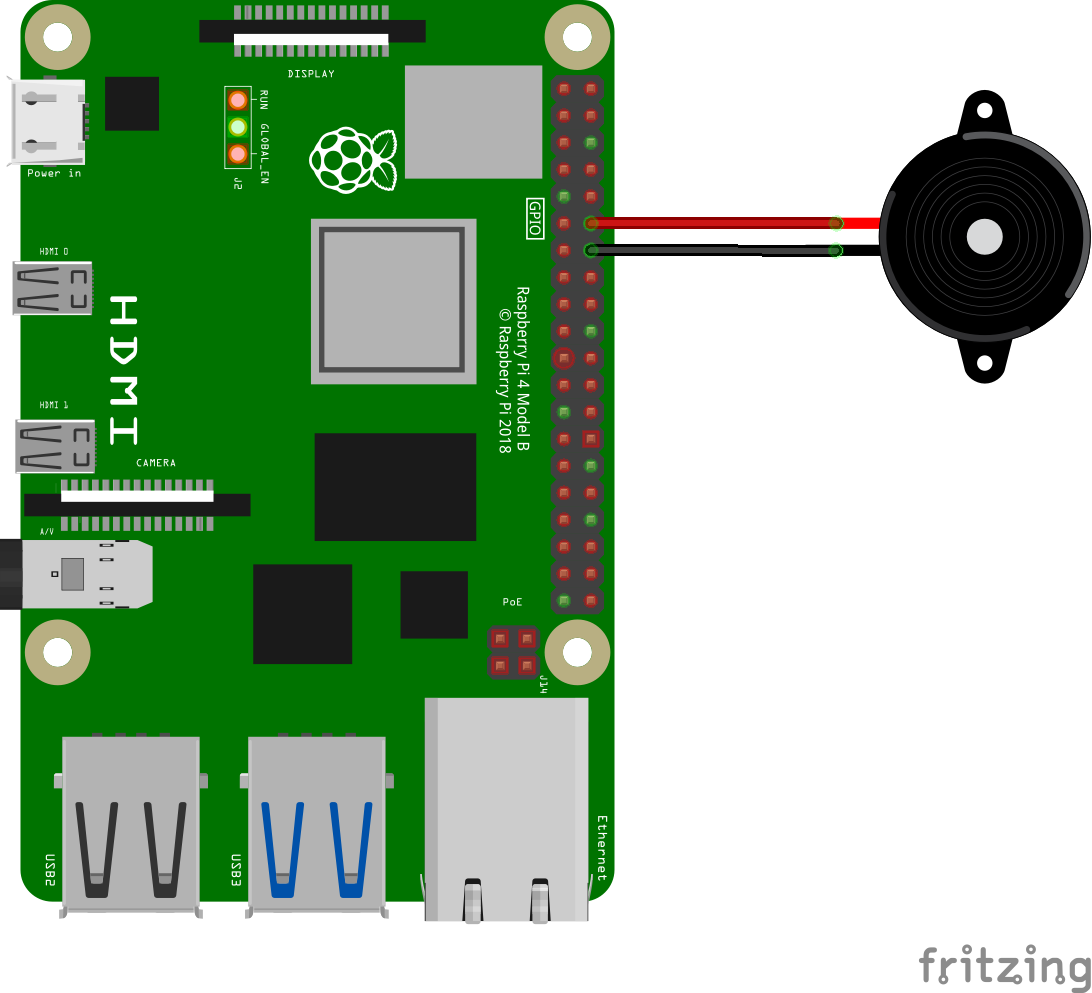
| tb = TonalBuzzer(18) #GPIO number for buzzer positive cable (negative cable to any Ground GPIO) | |
| def pingit(theIp): | |
| cmd = ["ping", "-c", "1", "-W", "3", "-n", theIp] | |
| result = subprocess.run( | |
| cmd, | |
| stdout=subprocess.PIPE | |
| ) | |
| if result.returncode != 0: | |
| return 0 | |
| else: | |
| return 1 | |
| def play(tune): | |
| for note, duration in tune: | |
| tb.play(note) | |
| sleep(float(duration)) | |
| tb.stop() | |
| #Tone when connect return | |
| ok_tone = [('A4', 0.05), ('C5', 0.05), ('D5', 0.05), ('E#5', 0.1)] | |
| #Tone when connection drop | |
| ko_tone = [('E#4', 0.1), ('C4', 0.1)] | |
| flag_disconnected = 0 | |
| while 1: | |
| ping_test = pingit('1.1.1.1') | |
| if ping_test == 0: | |
| play(ko_tone) | |
| flag_disconnected = 1 | |
| elif flag_disconnected == 1: | |
| play(ok_tone) | |
| flag_disconnected = 0 | |
| sleep(10) #Check every 10 seconds |

Author
Author
Illustration of connecting Buzzer to the raspberry pi using GPIO18
Sign up for free
to join this conversation on GitHub.
Already have an account?
Sign in to comment
Requirements:
GPIO Zero Docs: https://gpiozero.readthedocs.io/en/stable/
Setup as service:
Paste this (change YOUR_USER and SCRIPT_NAME as needed):
Enable service: