You can try opening Atom and clicking on the Atom tab to navigate to the Install Shell Commands prompt.
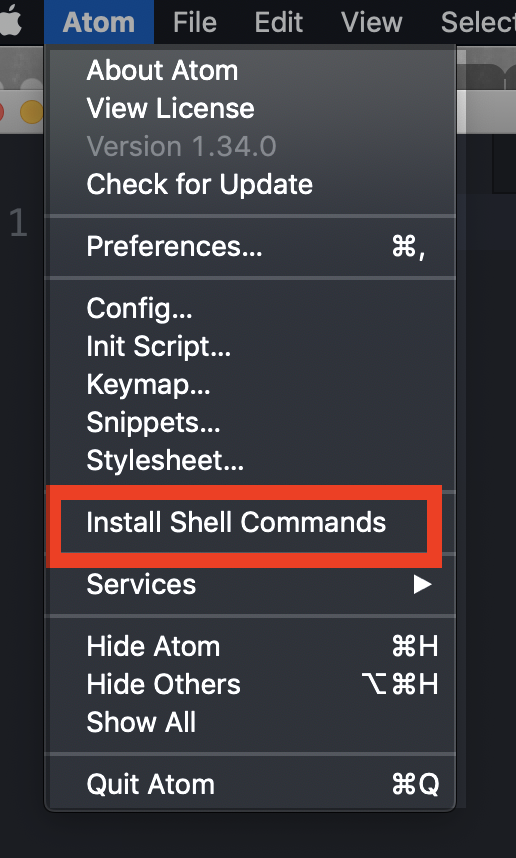
Open a terminal window and type atom .


| { | |
| /* | |
| // Place your snippets for HTML here. Each snippet is defined under a snippet name and has a prefix, body and | |
| // description. The prefix is what is used to trigger the snippet and the body will be expanded and inserted. Possible variables are: | |
| // ${1}, ${2} for tab stops, ${0} for the final cursor position, and ${1:label}, ${2:another} for placeholders. Placeholders with the | |
| // same ids are connected. | |
| // Example: | |
| "Print to console": { | |
| "prefix": "log", | |
| "body": [ |