
-
-
Save derrickmehaffy/aea3c635e0b9704b14fd1693fc56fea2 to your computer and use it in GitHub Desktop.
| { | |
| "defaultConnection": "default", | |
| "connections": { | |
| "default": { | |
| "connector": "mongoose", | |
| "settings": { | |
| "uri": "mongodb://strapi:test1234@strapi-test-shard-00-00-rqvys.gcp.mongodb.net:27017,strapi-test-shard-00-01-rqvys.gcp.mongodb.net:27017,strapi-test-shard-00-02-rqvys.gcp.mongodb.net:27017/test?ssl=true&replicaSet=strapi-test-shard-0&authSource=admin&retryWrites=true&w=majority" | |
| }, | |
| "options": { | |
| "authenticationDatabase": "admin", | |
| "ssl": true | |
| } | |
| } | |
| } | |
| } |


Sorry, I forgot to mention that instead of the uri string from "Connect to your App" I tried the string from Connect to MongoDB Compass. It works on both local and Heroku instances, which is ideal because I can use the Dev env on my local machine and it updates the Production API as well.
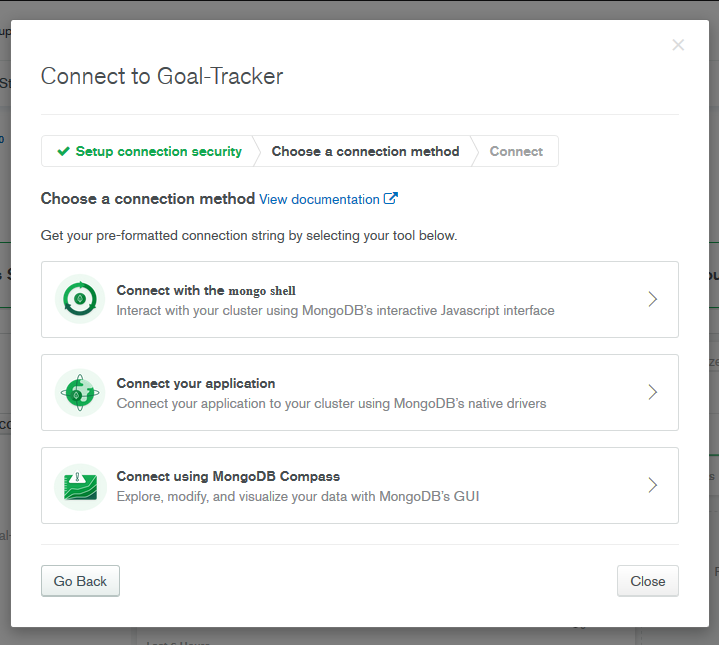
Thanks I'll give that a try, is there any reason (security) why using that might be a bad idea?
Just one more layer of security. See here https://stackoverflow.com/questions/56387832/mongo-db-atlas-is-it-safe-to-whitelist-all-ip-because-someone-attempting-to-acc
I actually finally managed to make this work using the URI string. Hopefully Strapi will update their official documentation now the stable release is out and things have changed quite a lot for deploying to Heroku.
Looks like the handling of environments has totally changed as has the reading the of environment variables.
In case anyone else stumbles on this thread here's my complete database file. This works for both production and local. I created a .env.production file to save all my environment variables in to test the connection locally. Then you'll need to copy them into Heroku as well. This can be done with the CLI or in the GUI for the webapp. I recommend using the GUI as the CLI was confused by some of the query params on the end of the string (at least for me).
module.exports = ({ env }) => ({ defaultConnection: "default", connections: { default: { connector: "mongoose", settings: { client: "mongo", uri: env("DATABASE_HOST"), host: env("DATABASE_HOST", "127.0.0.1"), srv: env.bool("DATABASE_SRV", false), port: env.int("DATABASE_PORT", 27017), database: env("DATABASE_NAME", "strapi_portfolio"), username: env("DATABASE_USERNAME", ""), password: env("DATABASE_PASSWORD", ""), }, options: { authenticationDatabase: env("AUTHENTICATION_DATABASE", null), ssl: env.bool("DATABASE_SSL", false), }, }, }, });
I have already set me network access to be open everywhere, set user permissions for the database user, checked my password, encoded special characters and still nothing works.
I can connect to it locally and through MongoDB Compass just Heroku always fails with "invalid connection string".