
Script to get new IP addresses in JDownloader by reconnecting Private Internet Access.
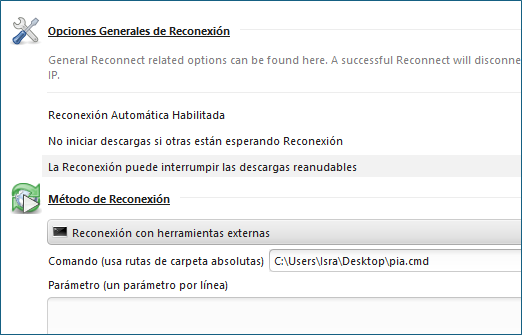
- Go to Settings -> Reconnect
- Tick all three checkboxes.
- Set method to
External Batch Reconnect - Set interpreter to
cmd /c - Set script to
piactl.exe background enable
timeout 3
piactl.exe disconnect
piactl.exe connect- Set application folder to
C:\Program Files\Private Internet Access
- Go to Settings -> Reconnect
- Tick all three checkboxes.
- Set method to
External Batch Reconnect - Set interpreter to
/bin/bash -c - Set script to
./piactl background enable
./piactl disconnect
./piactl connect- Set application folder to
/usr/local/bin



Hi, is it possible to do this with Windscribe?
I use windows. I have tried to do it by simply substituting the name of the .exe. All it does is open the program but does not change the ip.