Skip to content

Instantly share code, notes, and snippets.

View heybdj's full-sized avatar
💭
☕️☺️

BDJ heybdj

💭
☕️☺️
View GitHub Profile
#include "friday.h"
Entry(InputWaveInfo)
{
wave_info *WaveInfo = (wave_info*)InputWaveInfo;
shared_wave_info *Shared = WaveInfo->Shared;
memory_arena Arena = {0};
Arena.Start = MemoryReserve(GigaBytes(64));
#include <windows.h>
#include <stdio.h>
typedef struct ldr_data_entry
{
LIST_ENTRY LinkedList;
LIST_ENTRY UnusedList;
PVOID BaseAddress;
PVOID Reserved2[1];
@d7samurai
d7samurai / .readme.md
Last active December 13, 2025 22:52
Minimal D3D11 sprite renderer NEO

sponsored by SuperNeo copy 4

Minimal D3D11 sprite renderer NEO

Ultra-compact sprite rendering code with example frame animation logic. This release contains tech bits from the upcoming SuperNeo™ 2D game engine and includes anchor/pivot point, rotation, color filtering, alpha blending and built-in antialiased point sampling. As usual: complete, runnable single-function app. ~150 LOC. No modern C++, OOP or (other) obscuring cruft.

Minimal D3D11 sprite renderer NEO 1337

Sprites are rendered back-to-front (AKA "painter's algorithm") in the order they are submitted, as one draw call. The provided setup employs a single texture atlas containing all the sprite graphics.

The renderer is "im

@mmozeiko
mmozeiko / _miniperf_readme.md
Last active December 4, 2025 18:05
get PMU counter values with ETW, perf or kperf

MiniPerf

Example of how to capture CPU counters with ETW on Windows, perf on Linux or kperf on Apple.

Using ETW needs somewhat recently updated Windows 10 or 11. Not sure about exact version.

Currently tested on:

  • etw on Qualcomm Snapdragon X Elite, Windows 11, arm64
  • etw on AMD Zen 3, Windows 11 (with virtualization enabled in BIOS)
@mmozeiko
mmozeiko / armv8_tsc.h
Last active September 10, 2025 03:48
armv8 timer & cycle counter
#pragma once
#if defined(__linux__)
# define _GNU_SOURCE
# include <sched.h>
# include <unistd.h>
# include <sys/syscall.h>
# include <linux/perf_event.h>
#elif defined(_WIN32)
# include <intrin.h>
@mmozeiko
mmozeiko / win32_webgpu.c
Last active November 29, 2025 18:31
setting up and using WebGPU in C using Dawn
// example how to set up WebGPU rendering on Windows in C
// uses Dawn implementation of WebGPU: https://dawn.googlesource.com/dawn/
// download pre-built Dawn webgpu.h/dll/lib files from https://github.com/mmozeiko/build-dawn/releases/latest
#include "webgpu.h"
#define _CRT_SECURE_NO_DEPRECATE
#define WIN32_LEAN_AND_MEAN
#include <windows.h>
@d7samurai
d7samurai / .readme.md
Last active December 1, 2025 16:43
Minimal WASAPI

Minimal WASAPI

Minimal WASAPI reference implementation. Runnable console application contained in a single function and laid out in a linear, step-by-step fashion. No modern C++ / OOP / obscuring cruft. Produces a steady sine wave sound.

(This is a re-post of the same gist I posted a few years earlier, simply due to me wanting the Minimal D3D11 series to be listed contiguously and it's not possible to hide or rearrange gists).

@d7samurai
d7samurai / .readme.md
Last active December 9, 2025 02:30
Minimal D3D11 bonus material: pixel art antialiasing

Minimal D3D11 bonus material: pixel art antialiasing

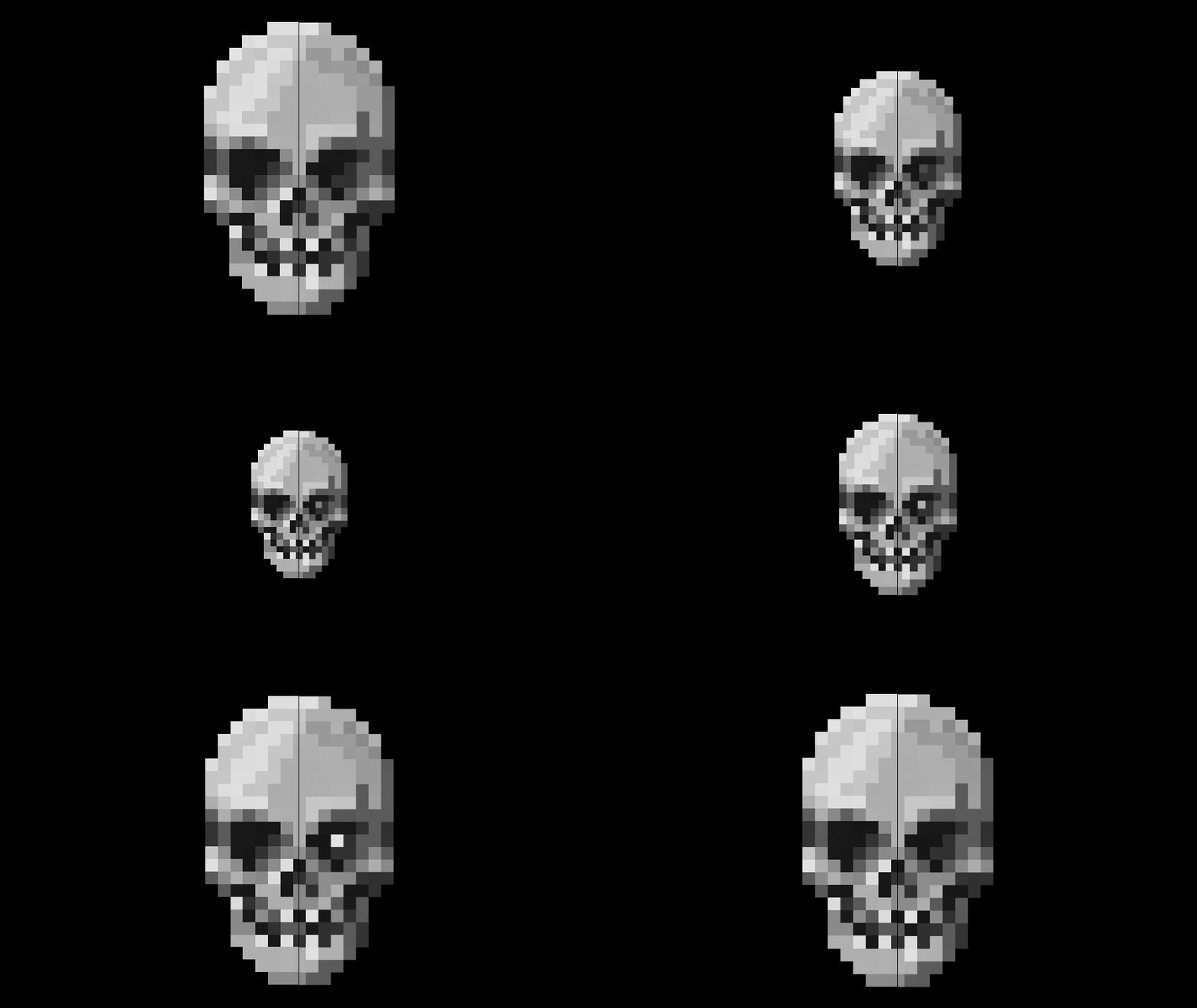
A minimal Direct3D 11 implementation of "antialiased point sampling", useful for smooth fractional movement and non-integer scaling of pixel art AKA "fat pixel" aesthetics.

Also view below side-by-side point sampling comparison on YouTube (video is zoomed in to counter implicit downsampling & compression artifacts and make aa effect more apparent) or check out the original Shadertoy.

skull

The actual sampler is set to bilinear filtering (the default D3D11 sampler state) in order to utilize single texture-read hardware interpolation, then emulating point sampling in the shader and applying AA at the fat pixel boundaries. Use with premultiplied alpha textures* and keep a one pixel transparent border around each sprite/tile.

@mmozeiko
mmozeiko / !README.md
Last active December 15, 2025 10:34
Download MSVC compiler/linker & Windows SDK without installing full Visual Studio

This downloads standalone MSVC compiler, linker & other tools, also headers/libraries from Windows SDK into portable folder, without installing Visual Studio. Has bare minimum components - no UWP/Store/WindowsRT stuff, just files & tools for native desktop app development.

Run py.exe portable-msvc.py and it will download output into msvc folder. By default it will download latest available MSVC & Windows SDK from newest Visual Studio.

You can list available versions with py.exe portable-msvc.py --show-versions and then pass versions you want with --msvc-version and --sdk-version arguments.

To use cl.exe/link.exe first run setup_TARGET.bat - after that PATH/INCLUDE/LIB env variables will be updated to use all the tools as usual. You can also use clang-cl.exe with these includes & libraries.

To use clang-cl.exe without running setup.bat, pass extra /winsysroot msvc argument (msvc is folder name where output is stored).

@ibireme
ibireme / kpc_demo.c
Last active December 1, 2025 00:45
A demo shows how to read Intel or Apple M1 CPU performance counter in macOS.
// =============================================================================
// XNU kperf/kpc demo
// Available for 64-bit Intel/Apple Silicon, macOS/iOS, with root privileges
//
//
// Demo 1 (profile a function in current thread):
// 1. Open directory '/usr/share/kpep/', find your CPU PMC database.
// M1 (Pro/Max/Ultra): /usr/share/kpep/a14.plist
// M2 (Pro/Max): /usr/share/kpep/a15.plist
// M3: /usr/share/kpep/as1.plist