Skip to content

Instantly share code, notes, and snippets.

@july-12
Forked from vinkla/CDN.md
Created April 20, 2020 12:12
Show Gist options
  • Select an option

  • Save july-12/3757e646a9296808a369ca43915d7b2d to your computer and use it in GitHub Desktop.

Select an option

Save july-12/3757e646a9296808a369ca43915d7b2d to your computer and use it in GitHub Desktop.
A guide on how to upload images to GitHub's CDN through issues and pull requests.

Upload Images to GitHub's CDN

  1. First, visit any repository on GitHub and click your way through to the issues page.

  2. Create a new issue by clicking the New Issue button. You'll now see title and description fields.

  3. Drag-and-drop an image onto the description field. This will start the uploading process.

  4. Copy the URL and use it in README, issues or pull requests however you like.
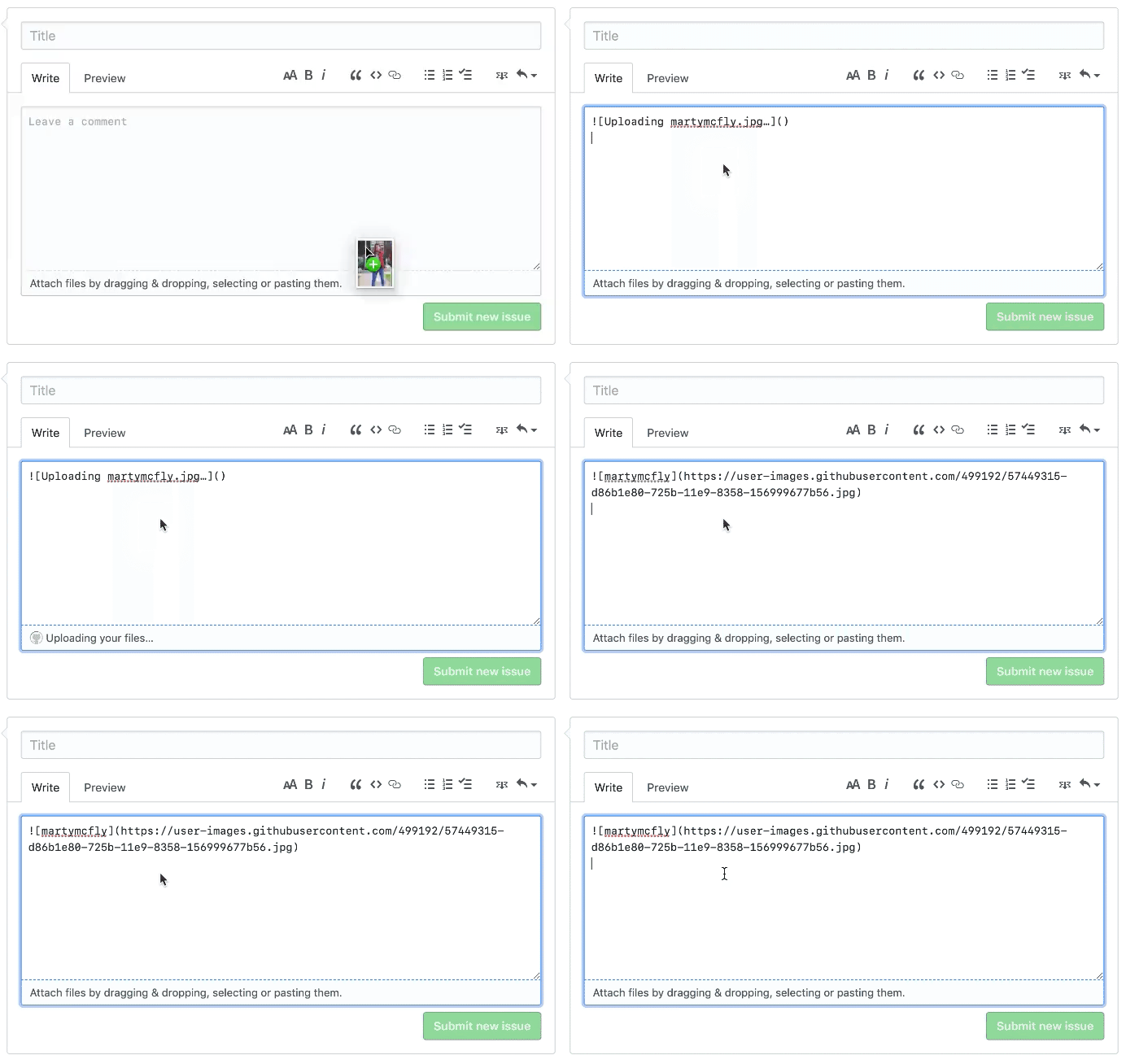
Example of uploading image to GitHub's CDN


Website | Twitter | GitHub

Sign up for free to join this conversation on GitHub. Already have an account? Sign in to comment