
-
First, visit any repository on GitHub and click your way through to the issues page.
-
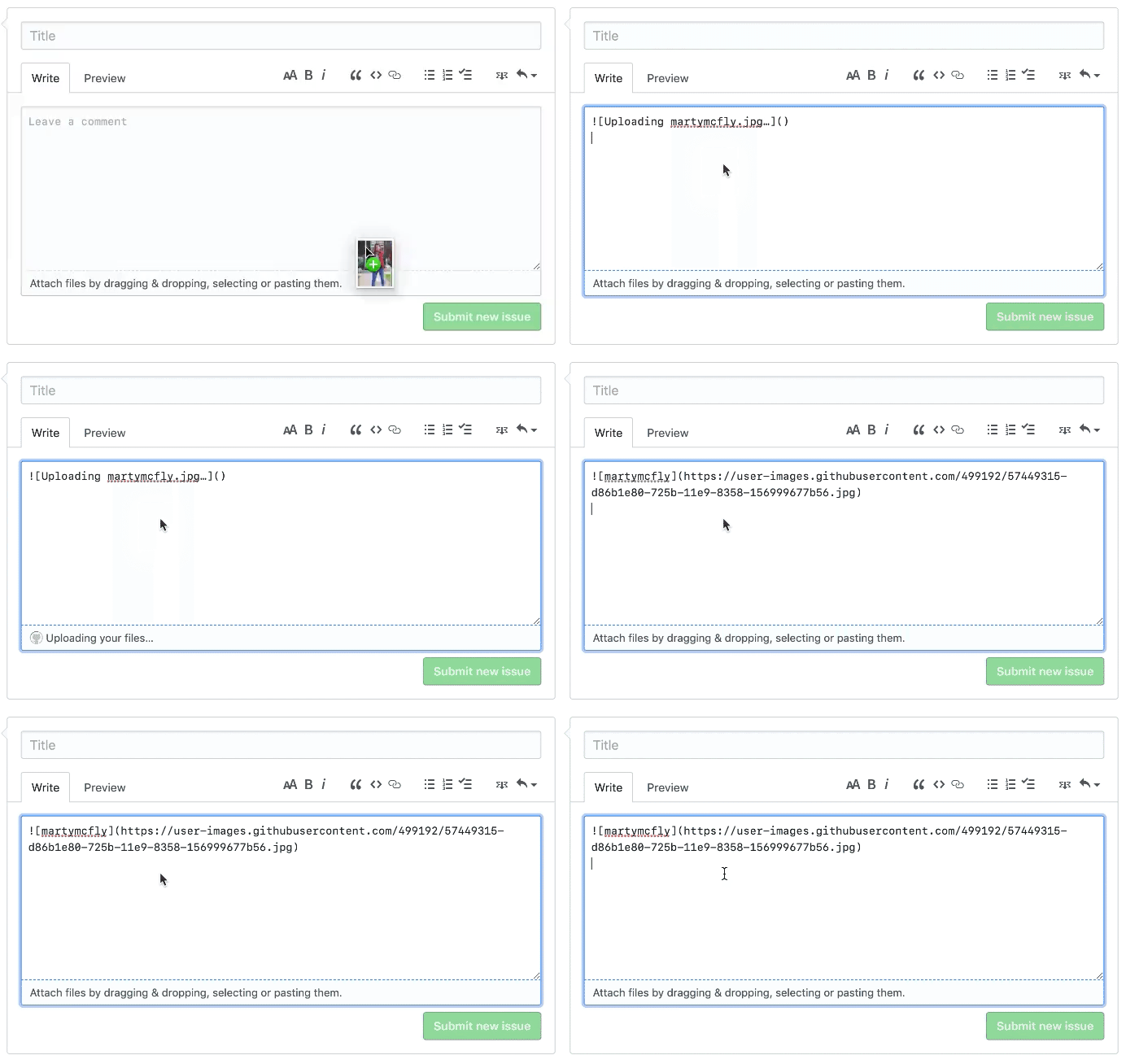
Create a new issue by clicking the New Issue button. You'll now see title and description fields.
-
Drag-and-drop an image on to the description field. This will start the uploading process.
-
Copy the URL and use it in README, issues or pull requests however you like.

 https://gist.github.com/user-attachments/assets/17818783-abd4-4734-aa17-eb52728d2ef3


