In this tutorial we will set up an environment to make data analysis with typescript and write our code in an experimental environment like Jupyter Notebook.
The following part is copied from https://github.com/yunabe/tslab.
- Install Node.js (LTS or Current)
- Install Python3.x
- tslab works with Jupyter on Python2.7.
- But I recommend you to use Jupyter on Python3.x because the latest Jupyter does not support Python2.7
- Install the latest version of JupyterLab or Jupyter Notebook
To get Python and Jupyter installed on your machine, the easiest way is to download and install anaconda https://www.anaconda.com/products/individual-d.
First, install tslab with npm.
npm install -g tslabPlease make sure tslab command is available in your terminal.
tslab install --version
Then, register tslab to your Jupyter environment.
tslab install --python=python3Switch into a folder where you want to run your Typescript Notebook
cd your-folderInstall two packages to use them in your tslab environment
npm init -y

npm i danfojs-node tslab-plotly
Run tslab Notebook
jupyter lab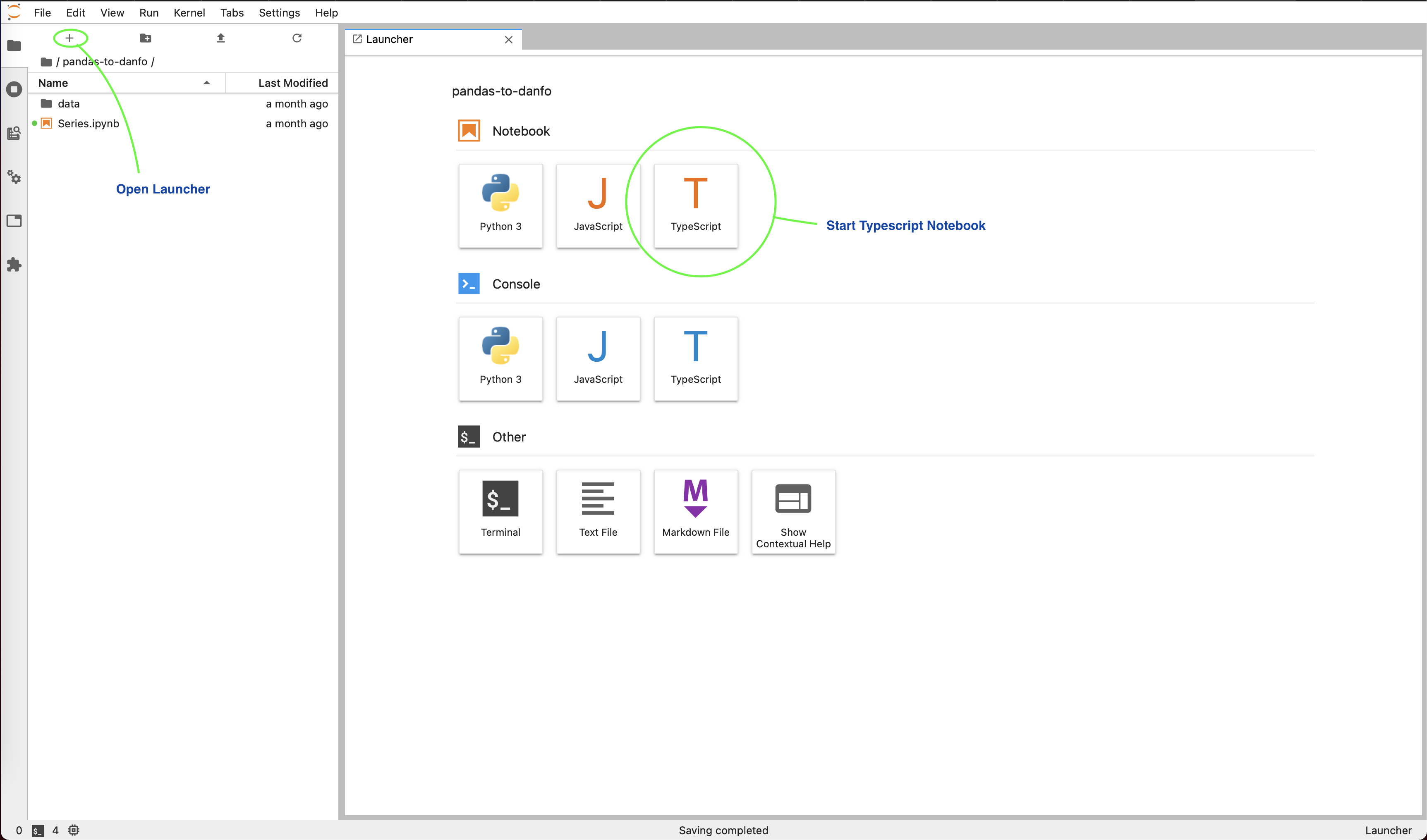
Place this code into a cell to see if danfo.js is working
import * as dfd from "danfojs-node"

let data = { "Name": ["Apples", "Mango", "Banana", "Pear"] ,
            "Count": [21, 5, 30, 10] ,
           "Price": [200, 300, 40, 250] }

let df = new dfd.DataFrame(data, {index: ["a", "b", "c", "d"]})
df.print()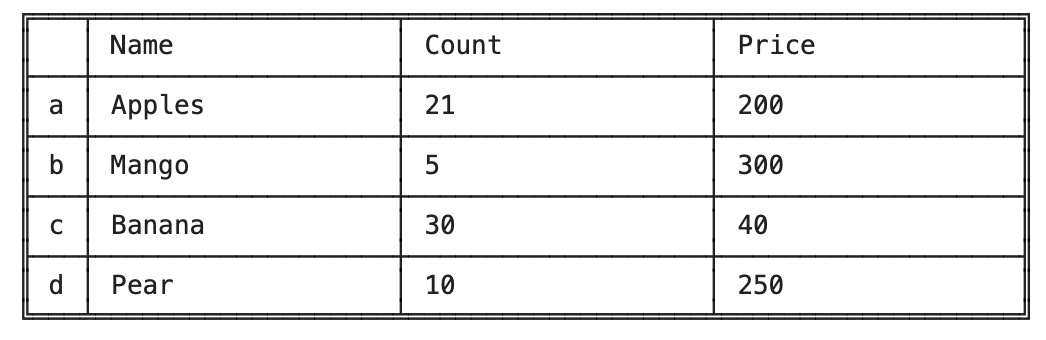
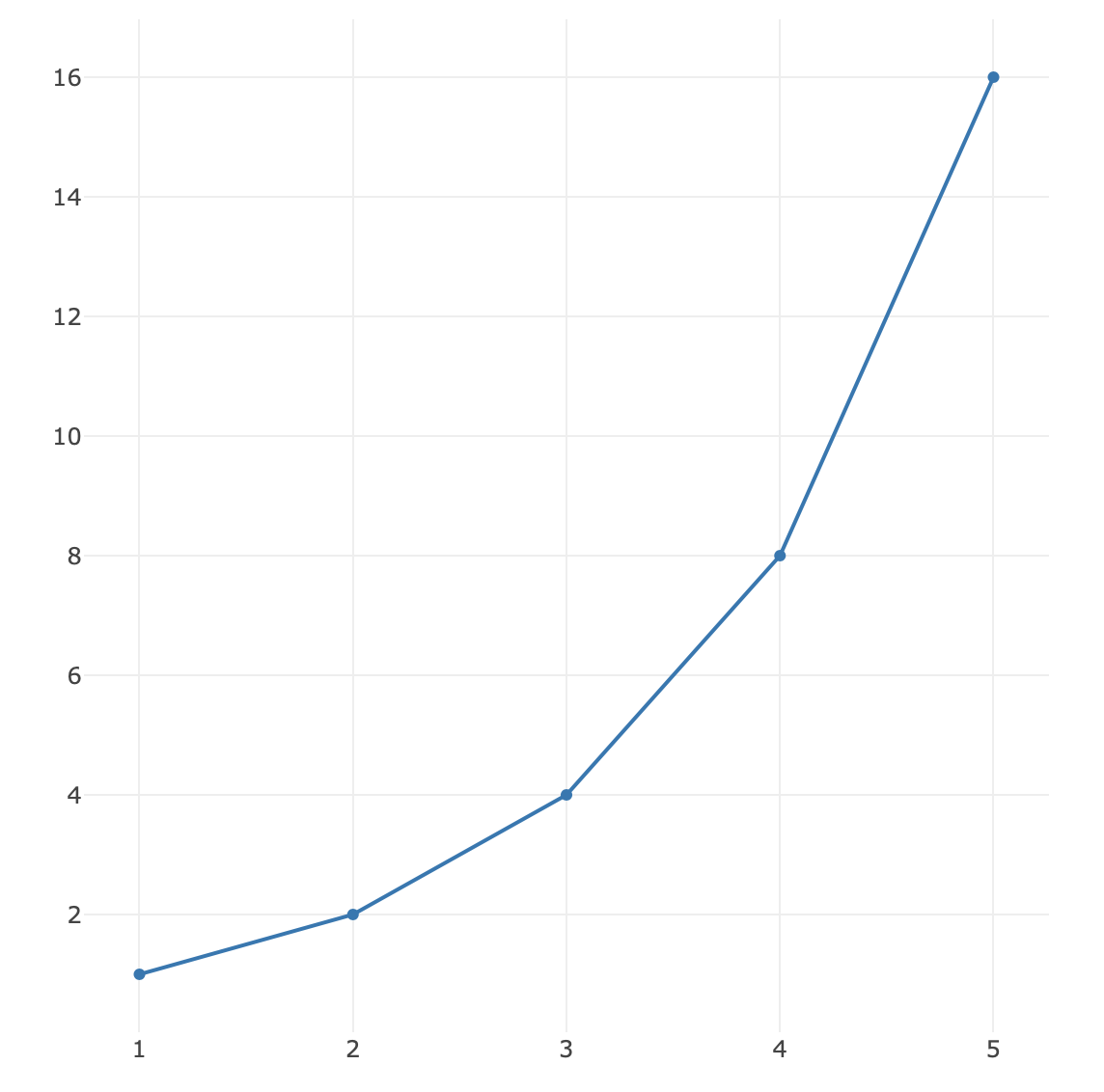
Place this code to see if Plotly is working
import Plotly from "tslab-plotly";
import * as tslab from "tslab";

Plotly.newPlot(tslab, [
  {
    x: [1, 2, 3, 4, 5],
    y: [1, 2, 4, 8, 16],
  },
]);