
- Cloud Vendor Based NoOps
- Detect text in images
- Detect handwriting in images
- Detect text in files
- Detect faces in images
- Detect multiple objects in images
- Detect web references to an image
- Detect landmarks in images
Recognition of Face in images
-
Create project, service account, download service account key file and enable API before-you-begin
-
Authenticate CLI session with
gcloud auth login -
Set the environment variable GOOGLE_APPLICATION_CREDENTIALS to point to the location of the service account key file
export GOOGLE_APPLICATION_CREDENTIALS=$PWD/cognitive-aab254879251.json
- Check the currently active project
$ gcloud config get-value project
bungabunga-123456
- Set the current project
$ gcloud projects list
PROJECT_ID          NAME                PROJECT_NUMBER
cognitive-254305    cognitive           711533833686
bungabunga-123456   bungabunga          400688388535

$ gcloud config set project cognitive-254305
Updated property [core/project].

$ gcloud config get-value project
cognitive-254305
- List API services
$ gcloud services list --available
NAME                                                  TITLE
...
- Cognitive APIs
| NAME | TITLE |
|---|---|
| automl.googleapis.com | Cloud AutoML API |
| cloudsearch.googleapis.com | Cloud Search API |
| dlp.googleapis.com | Cloud Data Loss Prevention (DLP) API |
| jobs.googleapis.com | Cloud Talent Solution API |
| language.googleapis.com | Cloud Natural Language API |
| ml.googleapis.com | Cloud Machine Learning Engine |
| speech.googleapis.com | Cloud Speech-to-Text API |
| texttospeech.googleapis.com | Cloud Text-to-Speech API |
| translate.googleapis.com | Cloud Translation API |
| videointelligence.googleapis.com | Cloud Video Intelligence API |
| vision.googleapis.com | Cloud Vision API |
$ gcloud services list | grep vision.googleapis.com
vision.googleapis.com             Cloud Vision API

$ gcloud services enable vision.googleapis.com
Operation "operations/acf.7710a593-9a73-488d-81e4-1b6130afdab9" finished successfully.
- Enable the specific API with
gcloud services enable <API>- NB. Error message if the specific API service is not enabled when requesting
{
  "error": {
    "code": 403,
    "message": "Cloud Vision API has not been used in project 711533833686 before or it is disabled. Enable it by visiting https://console.cloud.google.com/apis/api/vision.googleapis.com/overview?project=711533833686 then retry. If you enabled this API recently, wait a few minutes for the action to propagate to our systems and retry.",
    "status": "PERMISSION_DENIED",
    "details": [
      {
        "@type": "type.googleapis.com/google.rpc.Help",
        "links": [
          {
            "description": "Google Cloud Console API activation",
            "url": "https://console.cloud.google.com/apis/api/vision.googleapis.com/overview?project=711533833686"
          }
        ]
      }
    ]
  }
}
-
Provide image data to the Vision API by specifying the URI path to the image, or by sending the image data as base64-encoded text.
-
Check project, credentials environment variable and if the required API is enabled
$ gcloud config get-value project
cognitive-254305

$ export GOOGLE_APPLICATION_CREDENTIALS=$PWD/cognitive-aab254879251.json

$ gcloud services list | grep vision.googleapis.com
vision.googleapis.com             Cloud Vision API
- Prepare (input: PNG file "texttyped1.png"; output: JSON file "request.json")
$ ./pre-request.sh annotate1 ../data/texttyped1.png
request.json

$ grep content request.json|cut -f2 -d:|wc -c
  248720

$ grep -v content request.json|wc -c
     145

$ cat request.json
{
  "requests": [
    {
      "image": {
      "content": "<...removed...>"
      },
      "features": [
        {
          "type": "TEXT_DETECTION"
        }
      ]
    }
  ]
}
- Perform (input: JSON file "request.json"; output: JSON file "result$RANDOM.json)
$ ./run-request.sh annotate request.json
result31008.json
- Review (text from output JSON)
$ jq -r ".responses[].textAnnotations[0].description" result31008.json
Google is using deepfakes to fight deepfakes. With the 2020 US presidential
election approaching, the race is on to figure out how to prevent widespread
deepfake disinformation. On Tuesday, Google offered the latest contribution: an
open-source database containing 3,000 original manipulated videos. The goal
is to help train and test automated detection tools. The company compiled the
data by working with 28 actors to record videos of them speaking, making
common expressions, and doing mundane tasks. It then used publicly available
deepfake algorithms to alter their faces.
Google isn't the first to take this approach. As we covered in The Algorithm
earlier this month, Facebook announced that it would be releasing a similar
database near the end of the year. In January, an academic team led by a
researcher from the Technical University of Munich also created another called
FaceForensics++. The trouble is technical solutions like these can only go so
far because synthetic media could soon become indistinguishable from reality
Read more here.
-
Provide image data to the Vision API by specifying the URI path to the image, or by sending the image data as base64-encoded text.
-
Check project, credentials environment variable and if the required API is enabled
$ gcloud config get-value project
cognitive-254305

$ export GOOGLE_APPLICATION_CREDENTIALS=$PWD/cognitive-aab254879251.json

$ gcloud services list | grep vision.googleapis.com
vision.googleapis.com             Cloud Vision API
- Prepare (input: PNG file "texthandwriting1.png"; output: JSON file "request.json")
$ ./pre-request.sh annotate2 ../data/texthandwriting1.png
request.json

$ cat request.json
{
  "requests": [
    {
      "image": {
      "content": "<...removed...>"
      },
      "features": [
        {
          "type": "DOCUMENT_TEXT_DETECTION"
        }
      ]
    }
  ]
}
- Perform (input: JSON file "request.json"; output: JSON file "result$RANDOM.json)
$ ./run-request.sh annotate2 request.json
result11184.json
- Review (text from output JSON)
$ jq -r '.responses[].textAnnotations[0].description' result11184.json
Cloud
Google
Platform
- Detect text in files
- Check project, credentials environment variable and if the required API is enabled
$ gcloud config get-value project
cognitive-254305

$ export GOOGLE_APPLICATION_CREDENTIALS=$PWD/cognitive-aab254879251.json

$ gcloud services list | grep vision.googleapis.com
vision.googleapis.com             Cloud Vision API
- Create Google Cloud Storage Bucket
$ gcloud config get-value project
cognitive-254305

$ gsutil mb gs://cognitive-254305
Creating gs://cognitive-254305/...
- Copy data to the Google Cloud Storage Bucket
$ gsutil cp data/letter1.pdf gs://$(gcloud config get-value project)
Copying file://data/letter1.pdf [Content-Type=application/pdf]...
- [1 files][ 21.1 KiB/ 21.1 KiB]
Operation completed over 1 objects/21.1 KiB.

$ gsutil ls -l gs://$(gcloud config get-value project)
     21578  2019-09-28T10:15:36Z  gs://cognitive-254305/letter1.pdf
TOTAL: 1 objects, 21578 bytes (21.07 KiB)

$ ls -l data/letter1.pdf
-rw-r--r--@ 1 bjro  staff  21578 Sep 28 14:06 data/letter1.pdf
- Prepare (input: PNG file "letter1.pdf"; output: JSON file "request.json")
$ gsutil cp data/letter1.pdf gs://$(gcloud config get-value project)

$ ./pre-request.sh asyncBatchAnnotate letter1.pdf
request.json

$ cat request.json
{
  "requests":[
    {
      "inputConfig": {
        "gcsSource": {
          "uri": "gs://cognitive-254305/letter1.pdf"
        },
        "mimeType": "application/pdf"
      },
      "features": [
        {
          "type": "DOCUMENT_TEXT_DETECTION"
        }
      ],
      "outputConfig": {
        "gcsDestination": {
          "uri": "gs://cognitive-254305/"
        },
        "batchSize": 1
      }
    }
  ]
}
- Perform (input: JSON file "request.json"; output: JSON file "result$RANDOM.json)
$ ./run-request.sh asyncBatchAnnotate
result10350.json
"projects/cognitive-254305/operations/5c7fc871d25e65b8"
- Review (check job; copy output JSON to local storage; extract text from output JSON)
$ jq '.name' result6909.json
"projects/cognitive-254305/operations/5c7fc871d25e65b8"

$ gsutil ls gs://$(gcloud config get-value project)/
gs://cognitive-254305/letter1.pdf
gs://cognitive-254305/output-1-to-1.json

$ gsutil cp gs://$(gcloud config get-value project)/output-1-to-1.json .
Copying gs://cognitive-254305/output-1-to-1.json...
- [1 files][179.5 KiB/179.5 KiB]
Operation completed over 1 objects/179.5 KiB.

$ jq -r '.responses[].fullTextAnnotation["text"]' output-1-to-1.json
Urna Semper
1234 Main Street
Anytown, State ZIP
123-456-7890
no_reply@example.com
September 28, 2019
Trenz Pruca
4321 First Street
Anytown, State ZIP
Dear Trenz,
Lorem ipsum dolor sit amet, ligula suspendisse nulla pretium, rhoncus tempor
fermentum, enim integer ad vestibulum volutpat. Nisl rhoncus turpis est, vel elit,
congue wisi enim nunc ultricies sit, magna tincidunt. Maecenas aliquam maecenas
ligula nostra, accumsan taciti. Sociis mauris in integer, a dolor netus non dui aliquet,
sagittis felis sodales, dolor sociis mauris, vel eu libero cras. Faucibus at. Arcu habitasse
elementum est, ipsum purus pede porttitor class.
Ac dolor ac adipiscing amet bibendum nullam, lacus molestie ut libero nec, diam et,
pharetra sodales, feugiat ullamcorper id tempor id vitae. Mauris pretium aliquet,
lectus tincidunt. Porttitor mollis imperdiet libero senectus pulvinar. Etiam molestie
mauris ligula laoreet, vehicula eleifend. Repellat orci erat et, sem cum, ultricies
sollicitudin amet eleifend dolor.
Consectetuer arcu ipsum ornare pellentesque vehicula, in vehicula diam, ornare
magna erat felis wisi a risus. Justo fermentum id. Malesuada eleifend, tortor molestie,
a a vel et. Mauris at suspendisse, neque aliquam faucibus adipiscing, vivamus in. Wisi
mattis leo suscipit nec amet, nisl fermentum tempor ac a, augue in eleifend in
venenatis, cras sit id in vestibulum felis in, sed ligula.
Sincerely yours,
Urna Semper
-
Provide image data to the Vision API by specifying the URI path to the image, or by sending the image data as base64-encoded text.
-
Check project, credentials environment variable and if the required API is enabled
$ gcloud config get-value project
cognitive-254305

$ export GOOGLE_APPLICATION_CREDENTIALS=$PWD/cognitive-aab254879251.json

$ gcloud services list | grep vision.googleapis.com
vision.googleapis.com             Cloud Vision API
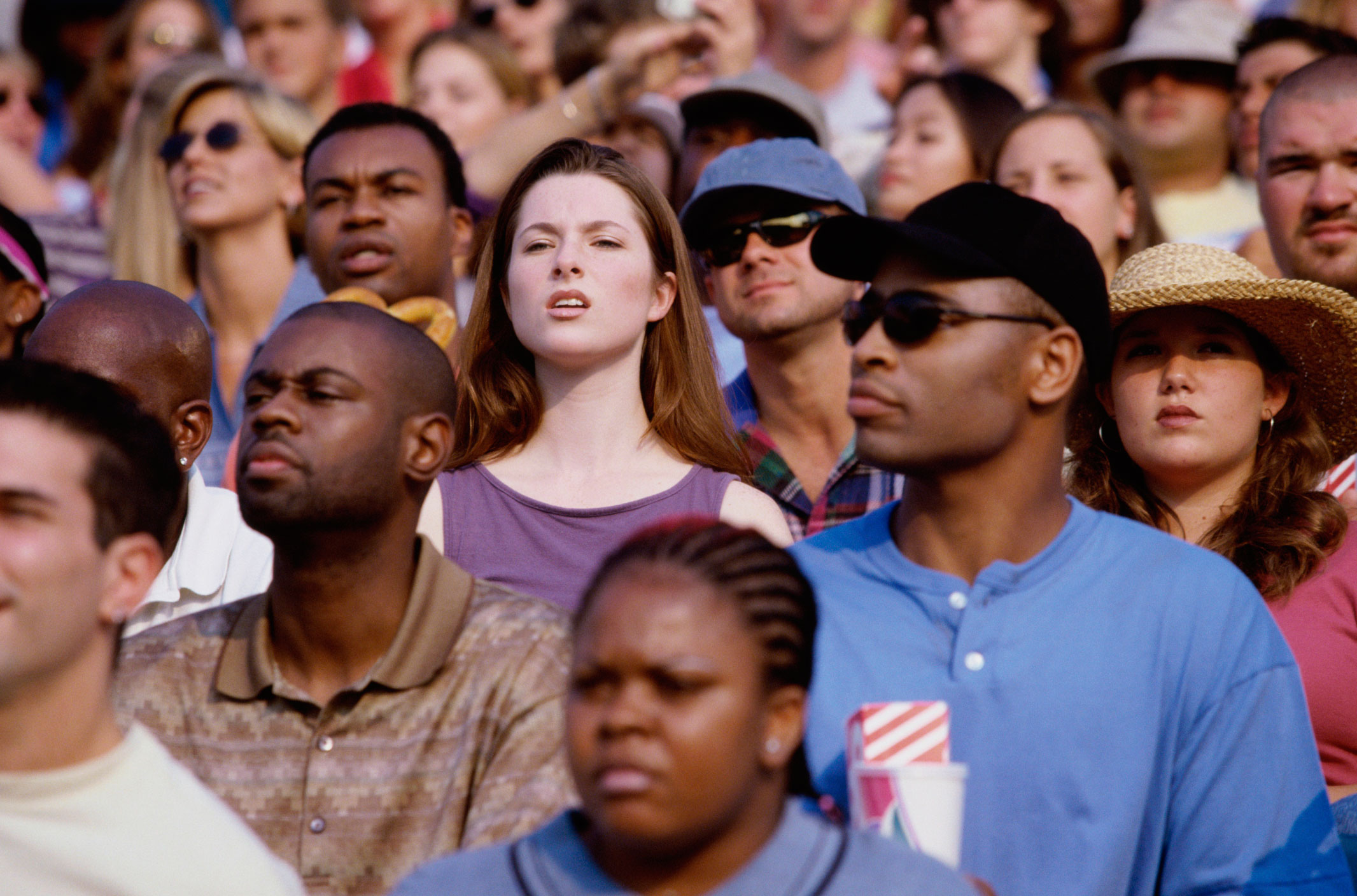
- Prepare (input: PNG file "faces1.jpg"; output: JSON file "request.json")
$ ./pre-request.sh annotate3 ../data/faces1.jpg
request.json

$ cat request.json
{
  "requests": [
    {
      "image": {
      "content": "<...removed...>"
      },
      "features": [
        {
          "maxResults": 10,
          "type": "FACE_DETECTION"
        }
      ]
    }
  ]
}
- Perform (input: JSON file "request.json"; output: JSON file "result$RANDOM.json)
$ ./run-request.sh annotate3 request.json
result12945.json
- Review (text from output JSON) - for expanded view use
jq . <output JSON filename>
$ jq '.responses[].faceAnnotations[].detectionConfidence' result12945.json
0.7988144
0.99993396
0.85146695
0.8147049
0.7686665
0.6784521
-
Provide image data to the Vision API by specifying the URI path to the image, or by sending the image data as base64-encoded text.
-
Check project, credentials environment variable and if the required API is enabled
$ gcloud config get-value project
cognitive-254305

$ export GOOGLE_APPLICATION_CREDENTIALS=$PWD/cognitive-aab254879251.json

$ gcloud services list | grep vision.googleapis.com
vision.googleapis.com             Cloud Vision API
- Prepare (input: PNG file "multiple1.jpeg"; output: JSON file "request.json")
$ ./pre-request.sh annotate4 ../data/multiple1.jpeg
request.json

$ cat request.json
{
  "requests": [
    {
      "image": {
      "content": "<...removed...>"
      },
      "features": [
        {
          "maxResults": 10,
          "type": "OBJECT_LOCALIZATION"
        }
      ]
    }
  ]
}
- Perform (input: JSON file "request.json"; output: JSON file "result$RANDOM.json)
$ ./run-request.sh annotate4 request.json
result31276.json
- Review (text from output JSON)
$ jq -r '.responses[].localizedObjectAnnotations[] | "\(.name) \(.score)"' result31276.json
Bicycle wheel 0.93440825
Bicycle wheel 0.9333072
Bicycle 0.9044979
Picture frame 0.6551748
-
Provide image data to the Vision API by specifying the URI path to the image, or by sending the image data as base64-encoded text.
-
Check project, credentials environment variable and if the required API is enabled
$ gcloud config get-value project
cognitive-254305

$ export GOOGLE_APPLICATION_CREDENTIALS=$PWD/cognitive-aab254879251.json

$ gcloud services list | grep vision.googleapis.com
vision.googleapis.com             Cloud Vision API
- Prepare (input: PNG file "multiple1.jpeg"; output: JSON file "request.json")
$ ./pre-request.sh annotate5 ../data/multiple1.jpeg
request.json

$ cat request.json
{
  "requests": [
    {
      "image": {
      "content": "<...removed...>"
      },
      "features": [
        {
          "maxResults": 10,
          "type": "WEB_DETECTION"
        }
      ]
    }
  ]
}
- Perform (input: JSON file "request.json"; output: JSON file "result$RANDOM.json)
$ ./run-request.sh annotate5 request.json
result23353.json
- Review (text from output JSON)
$ jq -r '.responses[].webDetection.fullMatchingImages[] |.url' result23353.json
https://mosaicovero.co.za/wp-content/uploads/2018/03/MVG-550-Copenhagen-copy-2.jpg
https://static1.squarespace.com/static/59d0a313be42d658b89bd39b/5b718b39c2241b31de2fd1bf/5c791b42652deaaa562e8b3d/1554359551823/bogdan-dada-279935-unsplash.jpg?format=2500w
https://kapost.com/b/wp-content/uploads/sites/4/2018/02/street-cred-compressor.jpg
http://www.dukefotografia.com/blog/wp-content/uploads/2018/03/photo-1496864137062-a12b5defe6be.jpg
https://i0.wp.com/www.aviasales.ru/blog/wp-content/uploads/2018/01/photo-1496864137062-a12b5defe6be.jpeg?ssl=1
https://cdn.shopify.com/s/files/1/0247/0717/0403/files/bogdan-dada-279935-unsplash_1400x.progressive.jpg?v=1555789235
https://www.dom-comfort.kz/wp-content/uploads/2017/11/photo-1496864137062-a12b5defe6be.jpg
https://868077240903148220.weebly.com/uploads/1/1/7/9/117963265/architecture-2562316-1920_2_orig.jpg
http://elheraldoslp.com.mx/wp-content/uploads/2019/02/S3.jpg
https://travelandleisure.mx/wp-content/uploads/2019/01/bogdan-dada-279935-unsplash.jpg
- Download each image to inspect further
$ mkdir tmp
$ cd tmp
$ jq -r '.responses[].webDetection.fullMatchingImages[] |.url' ../result23353.json > image.list
$ wget --quiet --continue --timestamping --tries=1 --input-file=image.list
-
Provide image data to the Vision API by specifying the URI path to the image, or by sending the image data as base64-encoded text.
-
Check project, credentials environment variable and if the required API is enabled
$ gcloud config get-value project
cognitive-254305

$ export GOOGLE_APPLICATION_CREDENTIALS=$PWD/cognitive-aab254879251.json

$ gcloud services list | grep vision.googleapis.com
vision.googleapis.com             Cloud Vision API
- Prepare (input: PNG file "landmark1.jpeg"; output: JSON file "request.json")
$ ./pre-request.sh annotate6 ../data/landmark1.jpeg
request.json

$ cat request.json
{
  "requests": [
    {
      "image": {
      "content": "<...removed...>"
      },
      "features": [
        {
          "maxResults": 10,
          "type": "LANDMARK_DETECTION"
        }
      ]
    }
  ]
}
- Perform (input: JSON file "request.json"; output: JSON file "result$RANDOM.json)
$ ./run-request.sh annotate6 request.json
result12922.json
- Review (text from output JSON)
$ jq -r '.responses[].landmarkAnnotations[] | "\(.description) \(.score) \(.locations[].latLng)"' result12922.json
St. Basil's Cathedral 0.90775275 {"latitude":55.752522899999995,"longitude":37.623086799999996}
Saint Basil's Cathedral 0.89397573 {"latitude":55.752912,"longitude":37.622315883636475}
- Add the types within the "features" brackets
[...]
{ "requests": [ { "image": { "content": "$(<$B64)" }, "features": [ { "type": "LANDMARK_DETECTION" },{ "type": "WEB_DETECTION" } ] } ] }
- Review (text from output JSON)
$ jq -r '.responses[].landmarkAnnotations[] | "\(.description) \(.score) \(.locations[].latLng)"' google-output.json
$ jq -r '.responses[].webDetection.fullMatchingImages[] |.url' google-output.json