
Help - How to get FreeBSD zroot on Vultr baremetal
Some baremetal server providers support FreeBSD, but they rarely provide a zfs on root option to install the OS on a mirrored or striped zraid.
Beside the obvious benefits of ZFS, it's a required dependency for certain jail managers, like iocage.
These instructions assume you know how to finish the FreeBSD installer on your own without needing someone to wipe your ass. If you can't finish the FreeBSD installer and Google a couple of missing details then stop now and get a VPS on Digital Ocean with a zroot.
My Vultr baremetal server has two 240GB SSDs. The server boots from a single UFS disk ada0 and disk two(ada1) is unused.
- Use the boot disk
ada0to fetch the FreeBSD .img. - Copy .img to the unused
ada1disk and boot from the FreeBSD .img. - While booting from the FreeBSD installer on
ada1Reinstall FreeBSD overada0with ZFS on root. - Reboot onto
ada0and addada1to the zroot RAID.
df -h
gpart show
ls /dev/
gpart create -s GPT ada1
gpart add -t freebsd-ufs -a 1M ada1
gpart show ada1
gpart show
newfs -U /dev/ada1p1
fetch https://download.freebsd.org/ftp/releases/amd64/amd64/ISO-IMAGES/11.1/FreeBSD-11.1-RELEASE-amd64-memstick.img
sha256 FreeBSD-11.1-RELEASE-amd64-memstick.img
dd if=FreeBSD-11.1-RELEASE-amd64-memstick.img of=/dev/ada1 bs=1M conv=sync
Then type: gpart show
It should look like this:
# gpart show
=>       40  468862048  ada0  GPT  (224G)
         40       1024     1  freebsd-boot  (512K)
       1064  468861024     2  freebsd-ufs  (224G)

=>      3  1508214  ada1  GPT  (224G) [CORRUPT]
        3     1600     1  efi  (800K)
     1603      118     2  freebsd-boot  (59K)
     1721  1504448     3  freebsd-ufs  (735M)
  1506169     2048     4  freebsd-swap  (1.0M)

=>      3  1508214  diskid/DISK-PHDV723507A0240AGN  GPT  (224G) [CORRUPT]
        3     1600                               1  efi  (800K)
     1603      118                               2  freebsd-boot  (59K)
     1721  1504448                               3  freebsd-ufs  (735M)
  1506169     2048                               4  freebsd-swap  (1.0M)
Now: reboot
And open the Vultr instance Console view to see the BIOS boot process and intercept the boot loader.
At the bootloader's "Welcome to FreeBSD" screen, Press 3.
Then at the prompt type (source) the following:
unload
lsdev
Which will return something like this:
disk devices:
	disk0:	BIOS drive C (468862128 X 512):
		disk0p1: FreeBSD boot
		disk0p2: FreeBSD UFS
	disk1:	BIOS drive D (468862128 X 512):
		disk1p1: EFI
		disk1p2: FreeBSD boot
		disk1p3: FreeBSD UFS
		disk1p4: FreeBSD swap
pxe devices:
So, after that prints, change the boot device to disk1 just like this:
set currdev=disk1s1a
boot
Next, next, next, overwrite the original boot ada0 disk, & Install.
Not sure what would happen if you overwrote the installer bootstrap bootdisk...
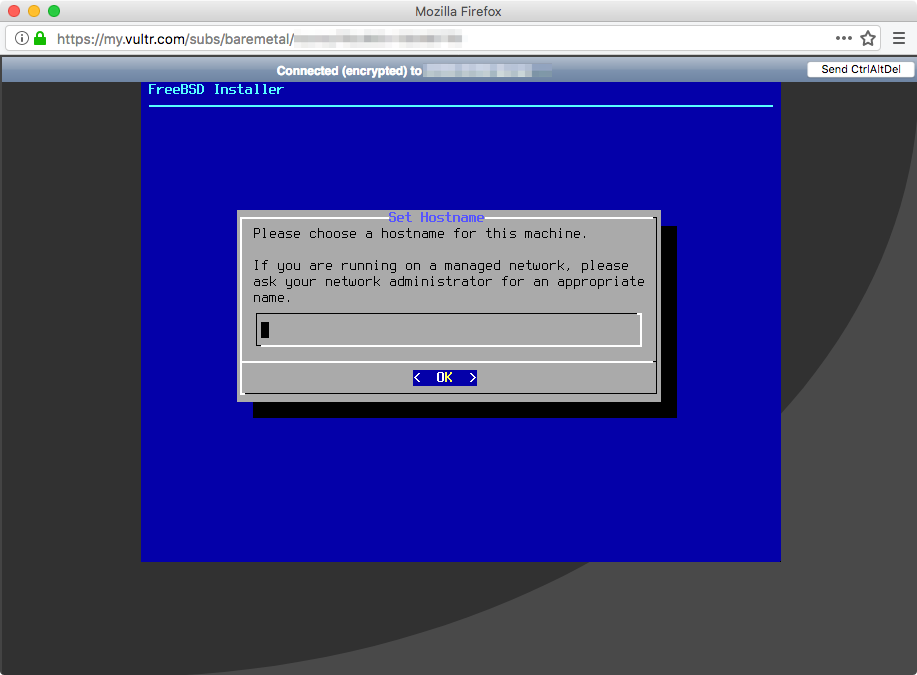
Now setup your fresh ZFS-on-root FreeBSD install.
Try this resource to mirror or stripe your extra ada1 bootstrap disk.
https://forums.freebsd.org/threads/49702/
This Gist is to help me remember how to install FreeBSD zroot on Vultr baremetal and to let Google index it to help others. If Vultr liked this, contact me. http://reelsense.tv/contact
"how to install freebsd on another disk from a bootstrap partition"
"how do I copy freebsd installer cd to a hard drive to boot"
"how to convert existing boot disk to zfs root in freebsd on a VPS"
If this helped you, consider the Value for Value model. http://bringyourwallet.com/donate