
Scenario: You have an XBOX One Controller, or similar, and to turn off the controller you press and hold the guide button. Unfortunately, even though you have turned off guide button focuses steam in Steam's Controller Settings, the button press still opens Big Picture Mode.
- With your controller on, open Controller Settings:
Steam > Settings > Controller > General Controller Settings - Using the controller, highlight
Xbox One Controlleror similar, navigate toDefine Layoutand pressAon the controller

The next step involves remapping the Guide Button to another button and then reassigning that button back to the original. This will leave the guide button unassigned so that the controller can be turned off without Steam getting involved.
- Navigate to
Guideand pressA - Navigate to
Primary Action, which is yourAbutton and set it back toA. Guide should now be unassigned.
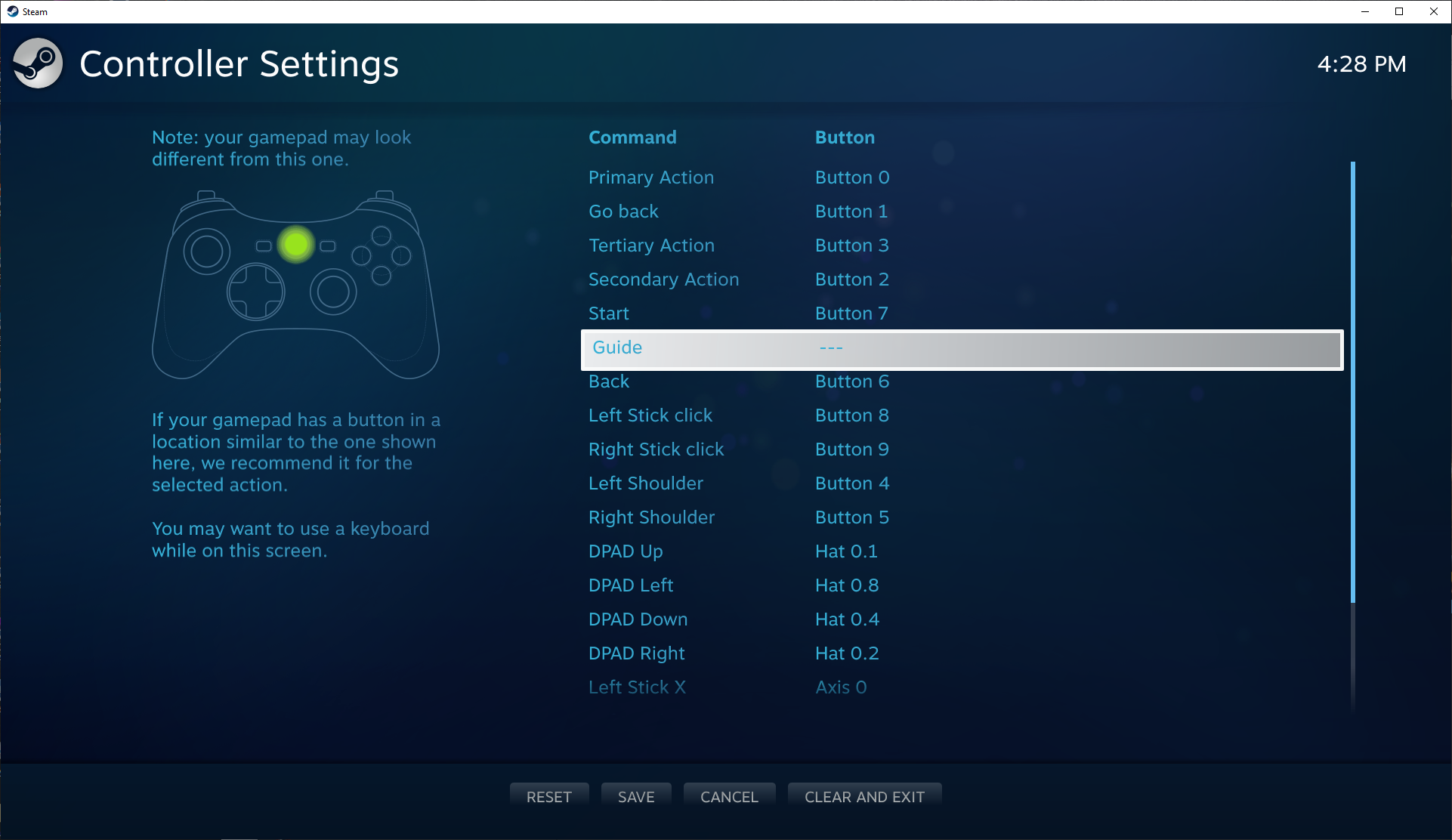
- Press
Yto save and thenBto close the controller settings - Test the Guide button now turns off without opening Big Picture.


I must be too old to understand the reference 👴🏻
Check out the most recent updates, I’ve improved the script and working on a fully automated set up tool (help needed if anyone knows PS/XML?).
What I’ve managed to put together is easy, device agnostic, simple, and self-managing; what every PC/Steam/Controller gamer wants. Shame Valve doesn’t see that!