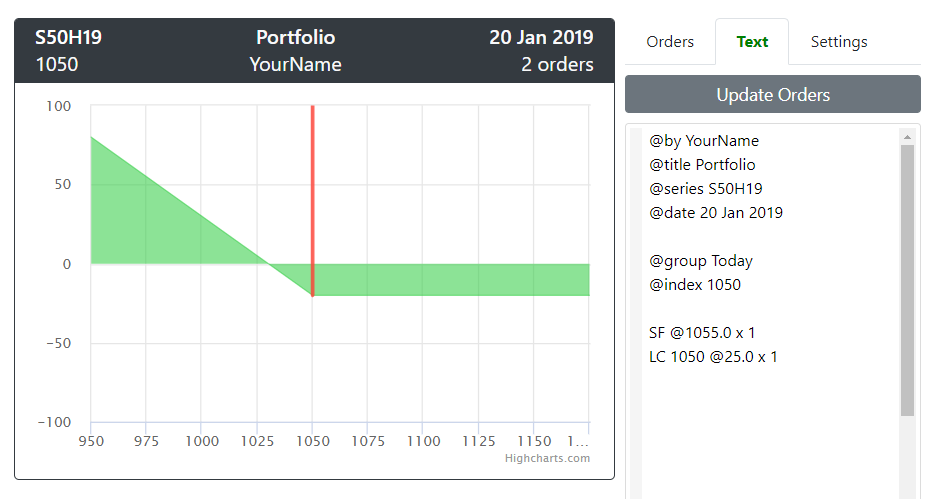
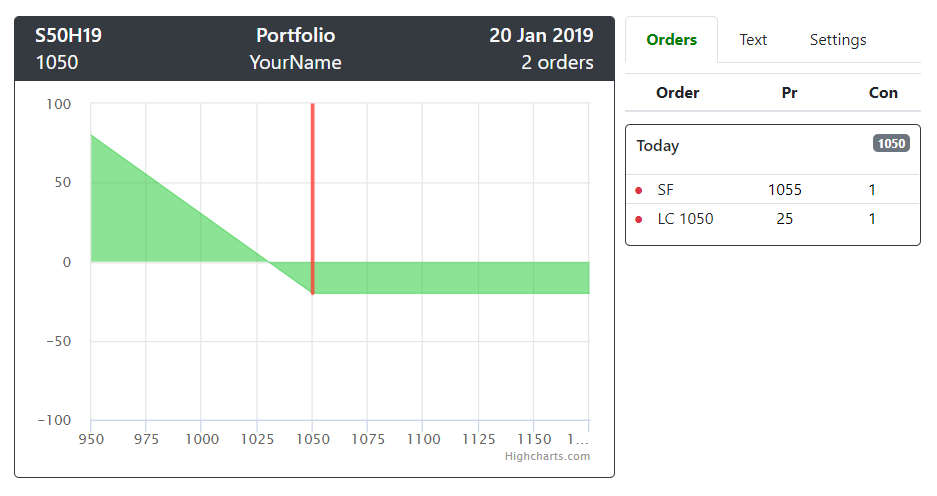
OptionsGo Data Text syntax is a plain text (unicode or UTF-8 encoding) that uses line-based syntax. Each line can be only one of these but they can be in any order:
- Command lines
- Order lines
- Text lines
- Comment lines
Command line begins with @ sign immediately followed by command name, a whitespace, and value.
@command value| Command | Description | Sample |
|---|---|---|
| @version | OptionsGo Text version | @version 0.2 |
| @title | Portfolio title | @title Paper Trade |
| @comm | Commission rate (Baht per contract) | @comm 80 |
| @date | Full date | @date 3 Jan 2019 |
| @index | Index | @index 1053.2 |
| @group | Start a new group | @group Cashflow |
| @. | Shorthand for @group | @. Cashflow |
| @base | Base P/L | @base 120 |
| @x-lower | X-axis min | @x-lower 950 |
| @x-upper | X-axis max | @x-upper 1200 |
| @y-lower | Y-axis min | @y-lower -500 |
| @y-upper | Y-axis max | @y-upper 1000 |
| @y-tick | Y-axis ticks | @y-tick 200 |
All commands are effected from that line downward. For example:
[order_status] order_action order_detailOrder status is a single character that is optional. If you has this, you must separate it from the order_action with a space.
| Status | Description |
|---|---|
| o | Enabled order. This is the default status. |
| x | Disabled order. This order was not happened and not included in payoff chart. |
| - | Planned order. This order is planed to take action in the future. |
| Action | Description |
|---|---|
| LF | Long future |
| SF | Short future |
| LC | Long call |
| LP | Long put |
| SC | Short call |
| SP | Short put |
Text will be displayed in Orders Tab.
any other are free text. Can be either ภาษาไทย or English or even emojis 🐄💨.

you can make a paragraph by a blank line.
This is the second line of the paragraph.
becareful that not begin the line with order prefix. Uses @text or @: as a line prefix to make that line interprets as a text, not an order.
@text LC me please!or
@: LC, SP, and LF are your upward weapons.Comment starts with two dashes (--). Comment text is just a note for yourself and will not be considered as command, order, or text. Comments will not be displayed in Orders Tab. We have two type of comments.
This is a full line comment.
-- line commentsand this is an end-of-line comment.
@title Hello -- end of line commentThis is a text line, not a comment line.
- Don't forget to buy the milk.This can be a comment line.
-------------
-- Comment --
------------- @title Portfolio
@date 20 Jan 2019
@group Today
@index 1050
SF @1055.0 x 1
LC 1050 @25.0 x 1