
-
-
Save w3spi5/4fbeef1b1d5d54497f2e0918b52fd643 to your computer and use it in GitHub Desktop.
| // Demander le name de l'élément | |
| const elementName = prompt("Entrez le 'name' de l'input ou textarea :"); | |
| if (elementName) { | |
| // Rechercher l'élément par son attribut name | |
| const elements = document.getElementsByName(elementName); | |
| if (elements.length > 0) { | |
| // Prendre le premier élément trouvé | |
| const element = elements[0]; | |
| // Vérifier que c'est bien un input ou textarea | |
| if (element.tagName === 'INPUT' || element.tagName === 'TEXTAREA') { | |
| // Permettre la sélection de texte | |
| element.style.webkitUserSelect = 'text'; | |
| element.style.userSelect = 'text'; | |
| // Intercepter et autoriser les événements | |
| const allowEvent = (e) => { | |
| e.stopImmediatePropagation(); | |
| return true; | |
| }; | |
| // Ajouter des listeners pour autoriser copier-coller | |
| element.addEventListener('copy', allowEvent, true); | |
| element.addEventListener('paste', allowEvent, true); | |
| element.addEventListener('cut', allowEvent, true); | |
| element.addEventListener('selectstart', allowEvent, true); | |
| element.addEventListener('contextmenu', allowEvent, true); | |
| // Supprimer les attributs inline | |
| ['oncopy', 'onpaste', 'oncut', 'onselectstart', 'oncontextmenu'].forEach(attr => { | |
| if (element.hasAttribute(attr)) { | |
| element.removeAttribute(attr); | |
| } | |
| }); | |
| console.log(`✅ Copier-coller activé sur l'élément avec name="${elementName}" !`); | |
| console.log(`Type: ${element.tagName}, ID: ${element.id || '(pas d\'id)'}`); | |
| } else { | |
| console.error(`❌ L'élément trouvé n'est ni un INPUT ni un TEXTAREA (c'est un ${element.tagName})`); | |
| } | |
| } else { | |
| console.error(`❌ Aucun élément trouvé avec name="${elementName}"`); | |
| } | |
| } else { | |
| console.log('❌ Opération annulée'); | |
| } |

📖 France-Travail - README English Version - Password Modification - Enable Copy/Paste in Password Fields - Usage Tutorial
🎯 What is this for?
France Travail really annoys us with their policy of preventing copy/paste in their input fields for changing passwords, among other things. And with our modern random password generator solutions, manually retyping the password has become really tedious.
So I designed this script that allows you to reactivate copy-paste on form fields, and this script is specifically optimized for the URL:
"https://candidat.francetravail.fr/compte/parametres/modificationmotdepasse" (input/textarea) where this functionality has been disabled by the website. But the code below, if modified, should work on any other website, hence my OpenSource sharing via a Gist.
🚀 How to use it?
Step 1: Open DevTools Console
On Chrome/Edge/Brave:
- Press
F12orCtrl+Shift+J(Windows/Linux) - Press
Cmd+Option+J(Mac)
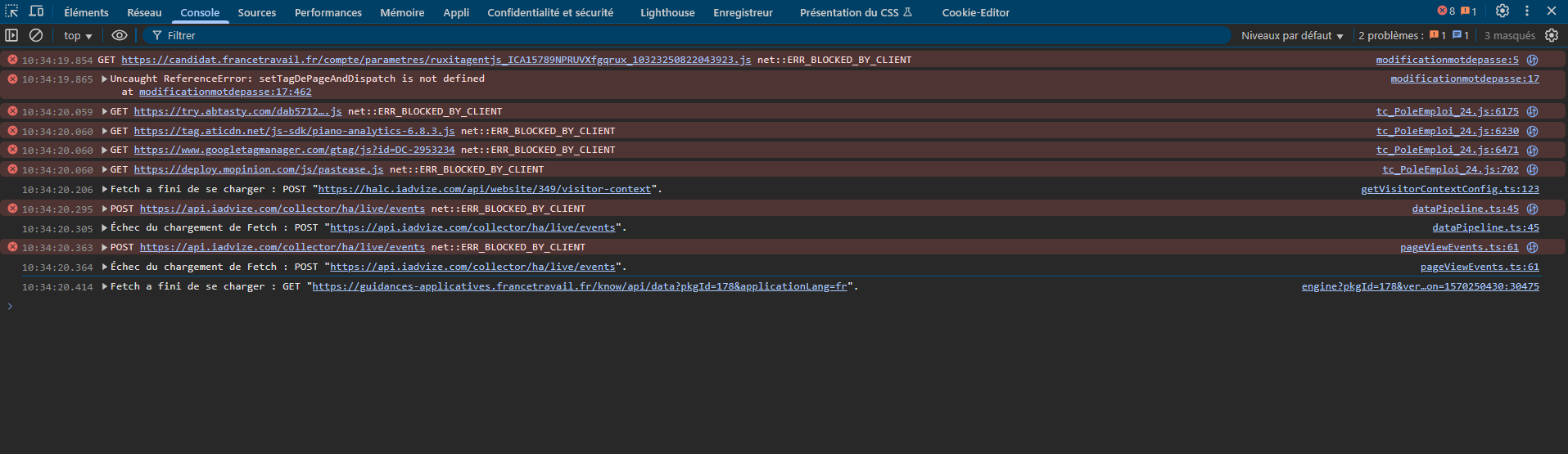
Step 2: Copy-paste the script
- Copy all the code from the
france-travail-change-password-enable-copy-paste.jsfile - Paste it into the console
- Press
Enter
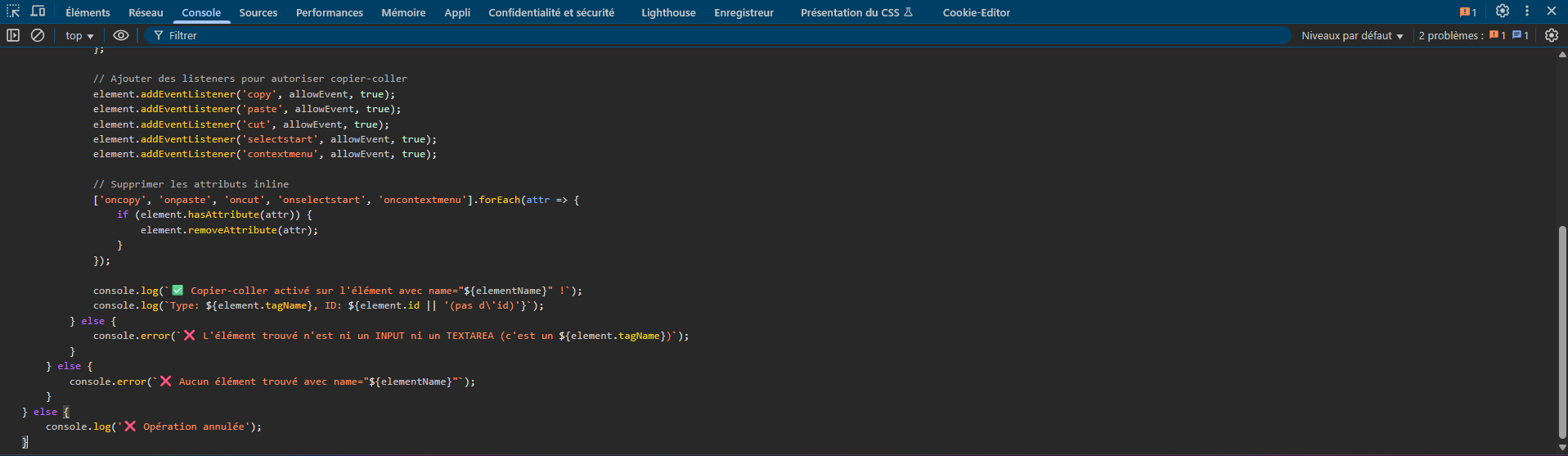
Step 3: Enter the field name
- A popup appears asking for the
nameof the field - How to find the
name?
- Right-click on the field → "Inspect"
- Look for thename="..."attribute in the HTML code
- Copy this value
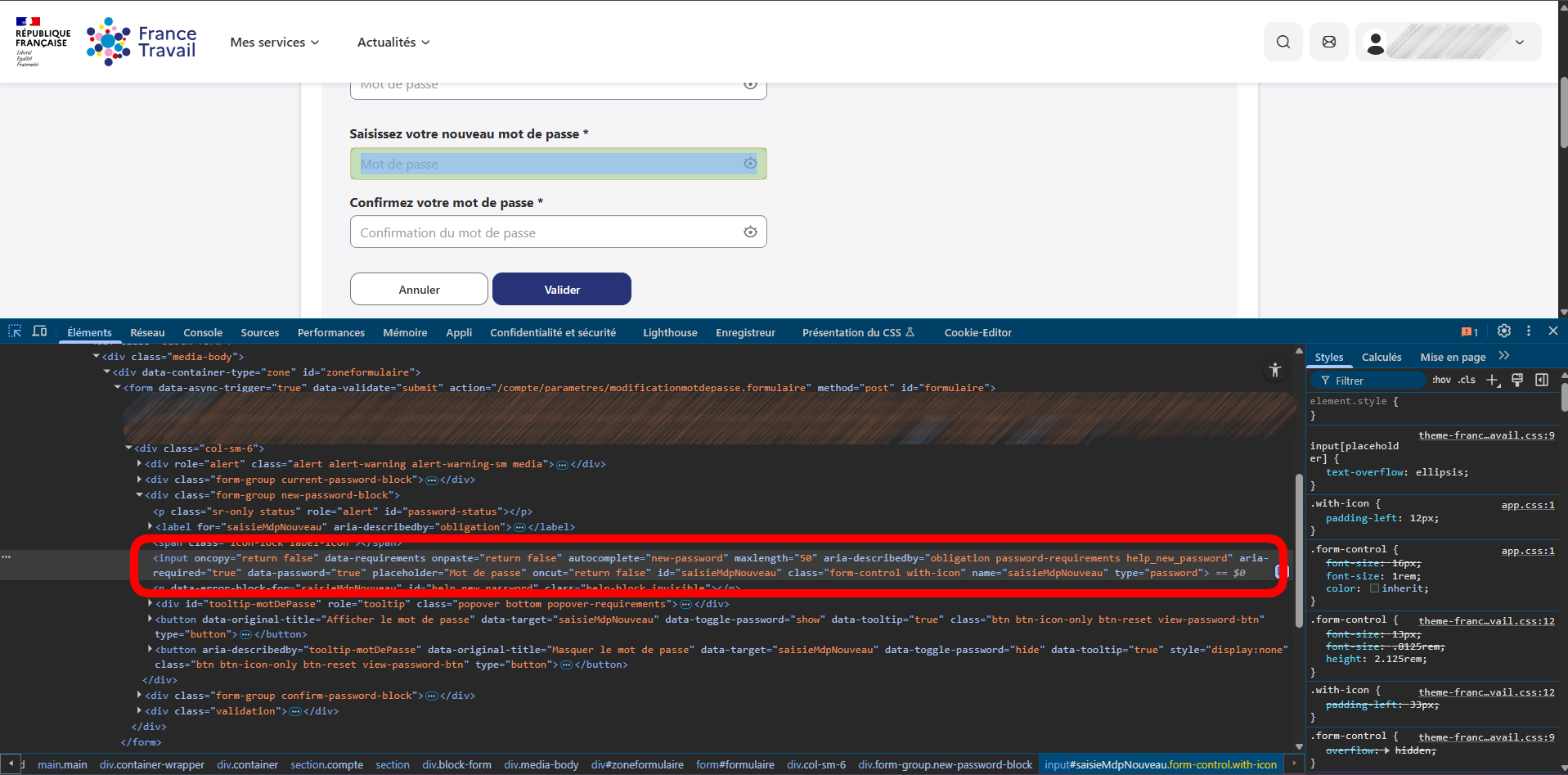
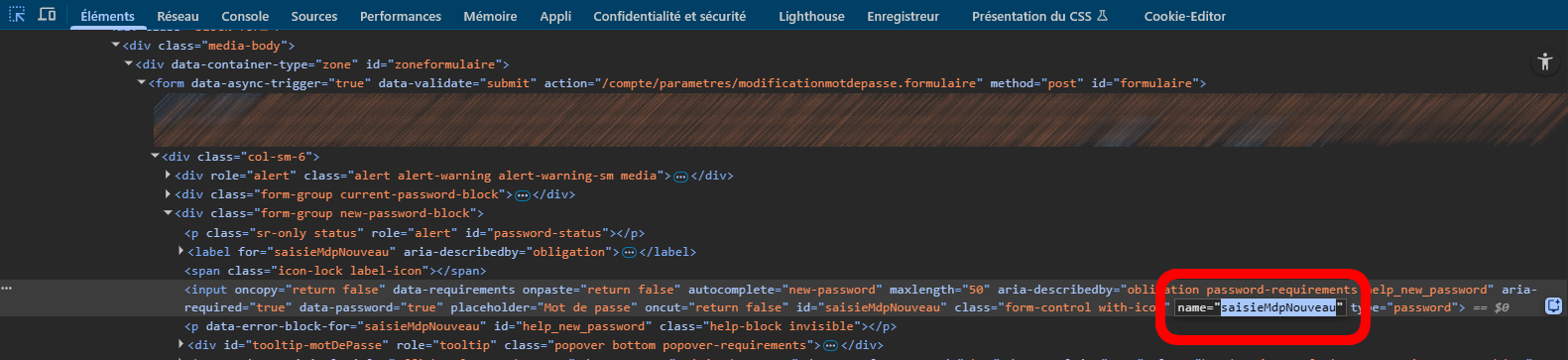
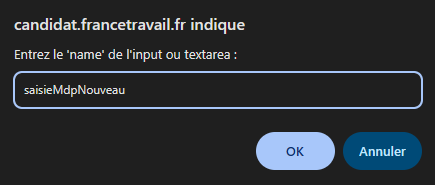
Step 4: Check the result
- A ✅ message confirms activation in the console
- You can now copy-paste in the field!


- Do the same for the next field
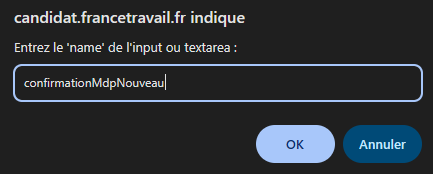
- A ✅ message confirms activation in the console
- You can now copy-paste in the field!
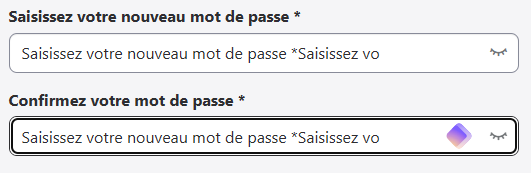
💡 Common name examples
emailpasswordusernameconfirm-password
⚠️ Important notes
- This script only works on the current page
- You need to run it again if you reload the page
- Some websites may have additional protections
🔧 Alternative: Bookmarklet
To use it with one click, create a bookmark with this code in the URL:
javascript:(function(){const elementName=prompt("Enter the 'name' of the input or textarea:");if(elementName){const elements=document.getElementsByName(elementName);if(elements.length>0){const element=elements[0];if(element.tagName==='INPUT'||element.tagName==='TEXTAREA'){element.style.webkitUserSelect='text';element.style.userSelect='text';const allowEvent=(e)=>{e.stopImmediatePropagation();return true;};element.addEventListener('copy',allowEvent,true);element.addEventListener('paste',allowEvent,true);element.addEventListener('cut',allowEvent,true);element.addEventListener('selectstart',allowEvent,true);element.addEventListener('contextmenu',allowEvent,true);['oncopy','onpaste','oncut','onselectstart','oncontextmenu'].forEach(attr=>{if(element.hasAttribute(attr)){element.removeAttribute(attr);}});console.log(`✅ Copy-paste enabled!`);}}}})();🔧 Alternative 2: Automatic France Travail Bookmarklet (current code at the time of writing)
I will create a second gist allowing the possibility to automatically unlock fields on France Travail.
📄 License
This code is under MIT license. You are free to use and modify it.
📖 France-Travail - Modification du mot de passe - Permettre le copier/coller dans les champs password - Tutoriel d'utilisation
🎯 À quoi ça sert ?
France Travail nous casse vraiment les bonbons avec leur politique d'empêcher le copier/coller dans leurs champs input pour modifier les mots de passe, entre autres. Et avec nos solutions modernes de générateurs de mot de passe aléatoires, se taper la recopie manuelle du mot de passe est vraiment devenu pénible.
J'ai donc conçu ce script qui permet de réactiver le copier-coller sur des champs de formulaire, et ce script est notamment optimisé pour l'URL :
"https://candidat.francetravail.fr/compte/parametres/modificationmotdepasse" (input/textarea) où cette fonctionnalité a été désactivée par le site web. Mais le code ci-dessous, s'il est modifié, devrait fonctionner sur n'importe quel autre site web, d'où mon partage OpenSource via un Gist.
🚀 Comment l'utiliser ?
Étape 1 : Ouvrir la Console DevTools
Sur Chrome/Edge/Brave :
F12ouCtrl+Shift+J(Windows/Linux)Cmd+Option+J(Mac)Étape 2 : Copier-coller le script
france-travail-change-password-enable-copy-paste.jsEntréeÉtape 3 : Entrer le nom du champ
namedu champname?- Faites un clic droit sur le champ → "Inspecter"
- Cherchez l'attribut
name="..."dans le code HTML- Copiez cette valeur
Étape 4 : Vérifier le résultat
💡 Exemples de
namecourantsemailpasswordusernameconfirm-password🔧 Alternative : Bookmarklet
Pour l'utiliser en un clic, créez un favori avec ce code dans l'URL :
🔧 Alternative 2 : Bookmarklet automatique France Travail (code actuel à l'écriture de ces lignes)
Je vais créer un second gist permettant la possibilité de déverrouiller automatiquement les champs sur France Travail.
📄 Licence
Ce code est sous licence MIT. Vous êtes libre de l'utiliser et de le modifier.