Skip to content

Instantly share code, notes, and snippets.

View williamlisci's full-sized avatar
📌
Quantum AI

William Li williamlisci

📌
Quantum AI
View GitHub Profile
@KiyonoKara
KiyonoKara / ts-node-webstorm-guide.md
Last active September 13, 2025 14:51
A guide on using TypeScript with WebStorm

ts-node WebStorm Guide

This is a simple guide to set up TypeScript in WebStorm. You don't need to have Node.js installed on your system if your IDE has an interpreter. NVM is also recommended if you'd like to stay up to date with all versions (if you'd like to manage all your versions).

Steps

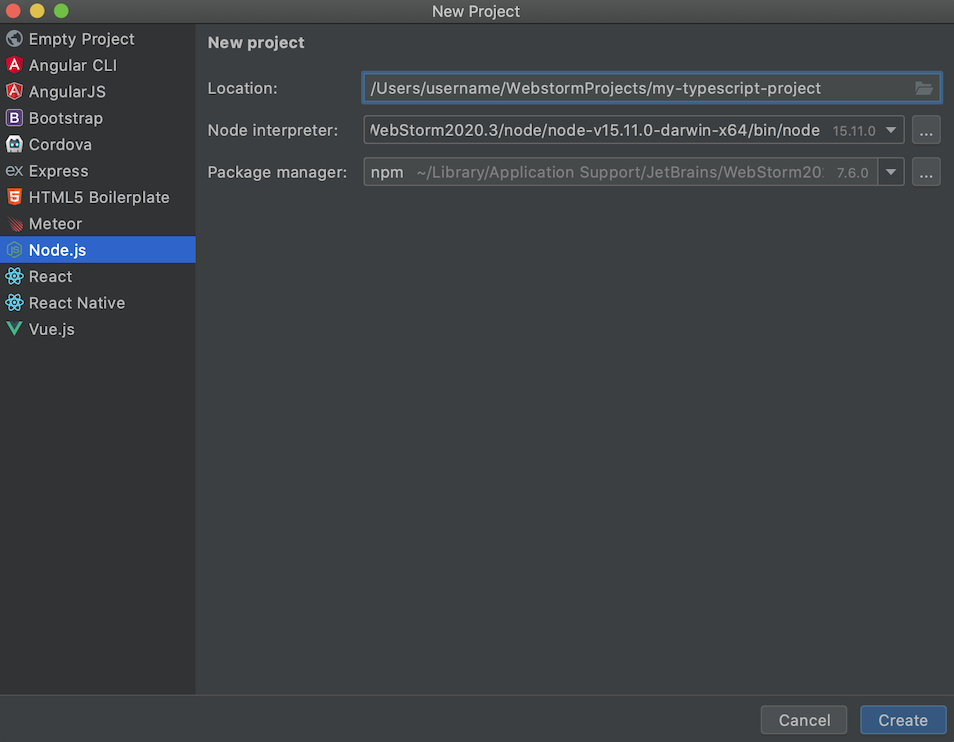
  1. Open your WebStorm IDE and create a new project, you can create either an empty project (and configure it later) or a preconfigured Node.js project.
  2. Press Create.
    1
  3. Open the settings IntelliJ IDEA > Preferences for MacOS (⌘ + ,) or File > Settings for Windows or Linux.
  4. Go to Languages & Frameworks < Node.js and NPM.
@paolocarrasco
paolocarrasco / README.md
Last active December 2, 2025 17:12
How to understand the `gpg failed to sign the data` problem in git

Problem

You have installed GPG, then tried to perform a git commit and suddenly you see this error message after it 😰

error: gpg failed to sign the data
fatal: failed to write commit object

Understand the error (important to solve it later!)

@badcommandorfilename
badcommandorfilename / datepicker.cshtml
Created July 20, 2017 01:24
C# HTML5 input date datepicker MVC Razor
<!-- How to insert a date editor in a Razor view -->
<div class="form-group">
@Html.LabelFor(model => model.Start, htmlAttributes: new { @class = "control-label col-md-2" })
<div class="col-md-10">
@Html.TextBoxFor(model => model.Start, new { @type="date", @class = "form-control datepicker", @Value = Model.Start.ToString("yyyy-MM-dd") } )
@Html.ValidationMessageFor(model => model.Start, "", new { @class = "text-danger" })
</div>
</div>
@wojteklu
wojteklu / clean_code.md
Last active December 6, 2025 13:31
Summary of 'Clean code' by Robert C. Martin

Code is clean if it can be understood easily – by everyone on the team. Clean code can be read and enhanced by a developer other than its original author. With understandability comes readability, changeability, extensibility and maintainability.


General rules

  1. Follow standard conventions.
  2. Keep it simple stupid. Simpler is always better. Reduce complexity as much as possible.
  3. Boy scout rule. Leave the campground cleaner than you found it.
  4. Always find root cause. Always look for the root cause of a problem.

Design rules

@hootlex
hootlex / laravellocal.md
Last active October 12, 2025 04:38
Run laravel project locally

##Windows users:

cmder will be refered as console

##Mac Os, Ubuntu and windows users continue here:

  • Create a database locally named homestead utf8_general_ci
@lolzballs
lolzballs / HelloWorld.java
Created March 22, 2015 00:21
Hello World Enterprise Edition
import java.io.FileDescriptor;
import java.io.FileOutputStream;
import java.io.IOException;
import java.io.OutputStream;
import java.io.PrintStream;
public class HelloWorld{
private static HelloWorld instance;
public static void main(String[] args){
instantiateHelloWorldMainClassAndRun();