
Scenario: You have an XBOX One Controller, or similar, and to turn off the controller you press and hold the guide button. Unfortunately, even though you have turned off guide button focuses steam in Steam's Controller Settings, the button press still opens Big Picture Mode.
- With your controller on, open Controller Settings:
Steam > Settings > Controller > General Controller Settings - Using the controller, highlight
Xbox One Controlleror similar, navigate toDefine Layoutand pressAon the controller

The next step involves remapping the Guide Button to another button and then reassigning that button back to the original. This will leave the guide button unassigned so that the controller can be turned off without Steam getting involved.
- Navigate to
Guideand pressA - Navigate to
Primary Action, which is yourAbutton and set it back toA. Guide should now be unassigned.
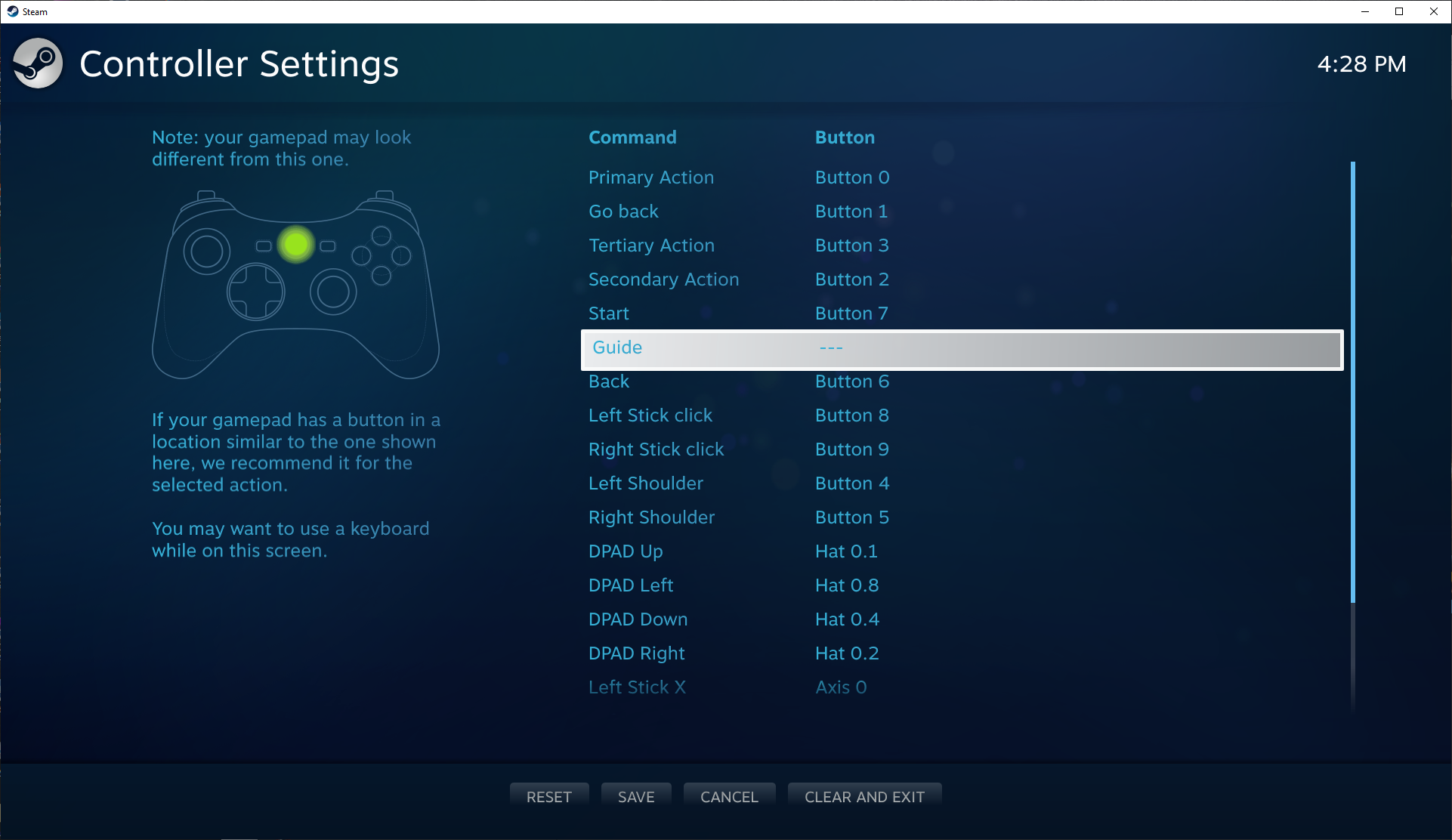
- Press
Yto save and thenBto close the controller settings - Test the Guide button now turns off without opening Big Picture.


you haven't spoken to many of them, then. the mental gymnastics they go through is incredible.
But provided he's not, he's acting just like a fake piracy advocate, which in truth is just someone salty because he's probably been vac banned from some CSGO game or something.
Besides, Pirate Bay? Really? You want to give everyone's computer's aids? The site is long gone and what's left is a joke of the former self, there are lots of guide on how to actually use torrents.
Take an advice and learn when and were to speak about piracy because this isn't neither the place nor the time.