
Scenario: You have an XBOX One Controller, or similar, and to turn off the controller you press and hold the guide button. Unfortunately, even though you have turned off guide button focuses steam in Steam's Controller Settings, the button press still opens Big Picture Mode.
- With your controller on, open Controller Settings:
Steam > Settings > Controller > General Controller Settings - Using the controller, highlight
Xbox One Controlleror similar, navigate toDefine Layoutand pressAon the controller

The next step involves remapping the Guide Button to another button and then reassigning that button back to the original. This will leave the guide button unassigned so that the controller can be turned off without Steam getting involved.
- Navigate to
Guideand pressA - Navigate to
Primary Action, which is yourAbutton and set it back toA. Guide should now be unassigned.
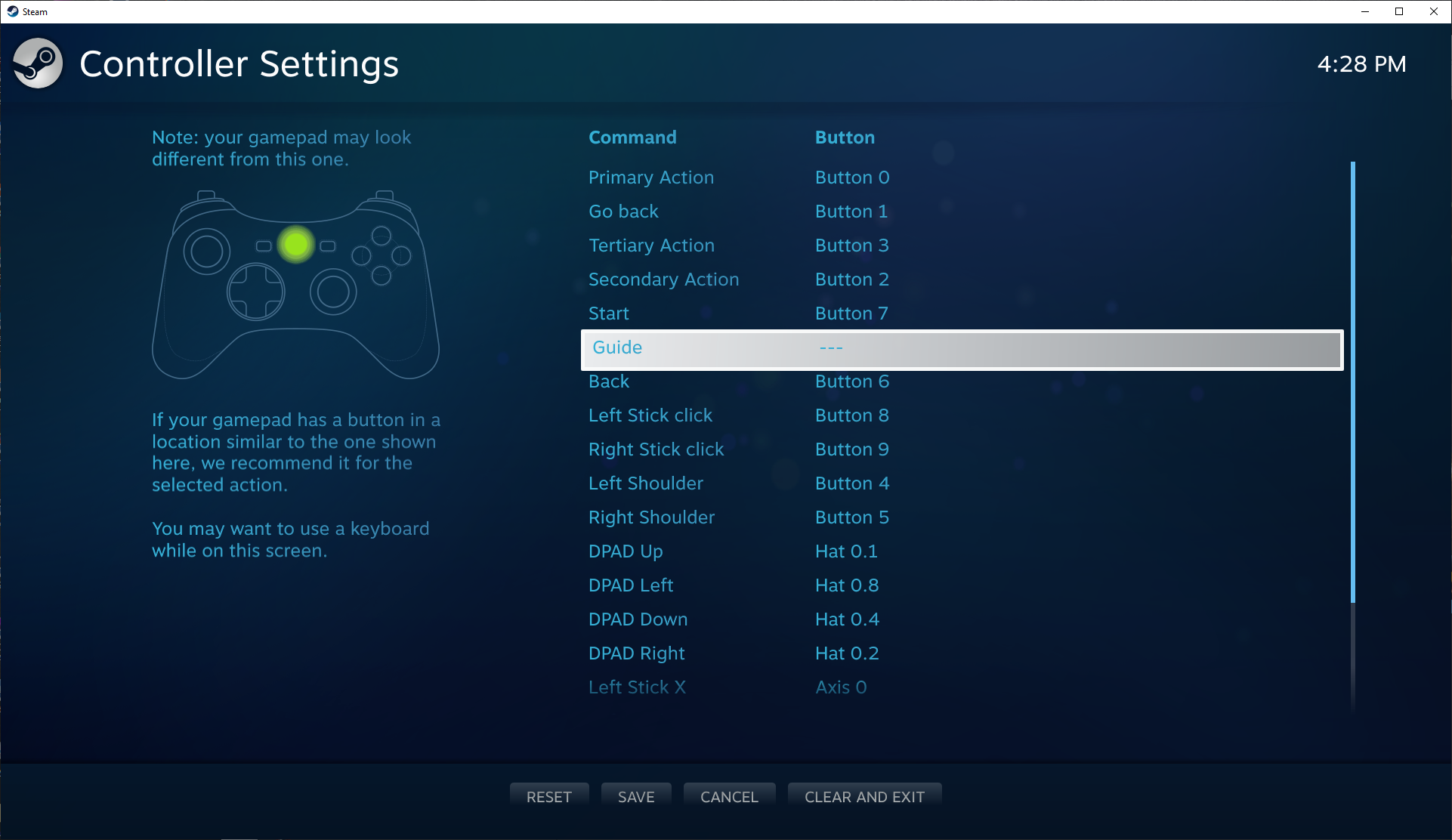
- Press
Yto save and thenBto close the controller settings - Test the Guide button now turns off without opening Big Picture.


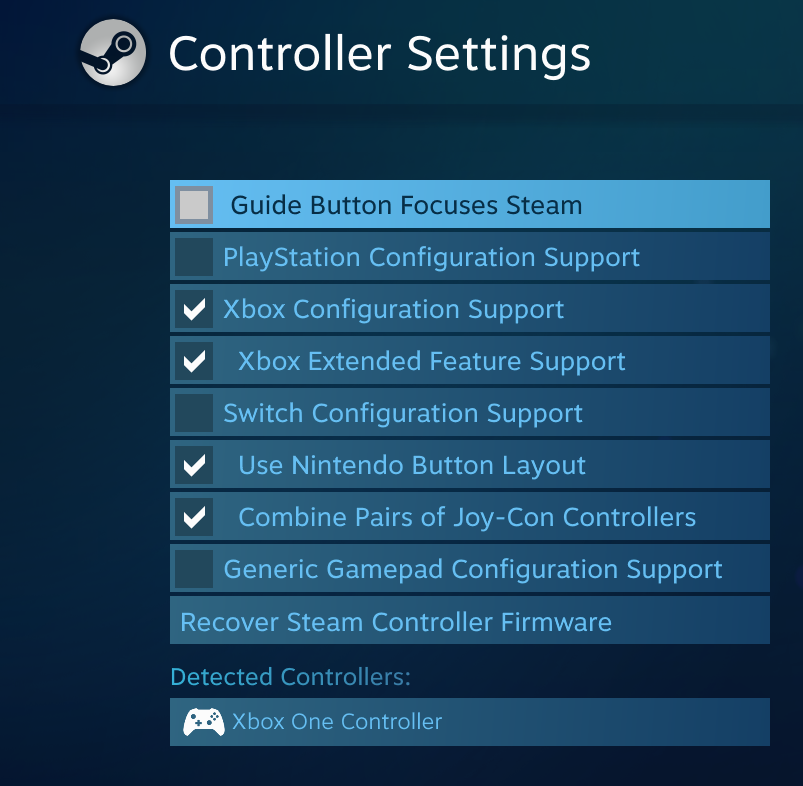


Unfortunately, this didnt work for me. Ive tried removing ALL Xbox controller support from steam through the settings. Ive tried connecting the controller via bluetooth instead of dongle to get the "Define Layout" option to appear. It didnt. Im at my wits end, because I couldnt care less about BPM but I actually DO use the game bar, and this is making it impossible. Every time BPM opens, I have to turn the game bar back on in the settings, at which point I can ONLY open the game bar, but I cant interact with it using the controller in any way. After that, BPM takes over whenever I press the guide button, and the game bar setting is magically turned off.