
Scenario: You have an XBOX One Controller, or similar, and to turn off the controller you press and hold the guide button. Unfortunately, even though you have turned off guide button focuses steam in Steam's Controller Settings, the button press still opens Big Picture Mode.
- With your controller on, open Controller Settings:
Steam > Settings > Controller > General Controller Settings - Using the controller, highlight
Xbox One Controlleror similar, navigate toDefine Layoutand pressAon the controller

The next step involves remapping the Guide Button to another button and then reassigning that button back to the original. This will leave the guide button unassigned so that the controller can be turned off without Steam getting involved.
- Navigate to
Guideand pressA - Navigate to
Primary Action, which is yourAbutton and set it back toA. Guide should now be unassigned.
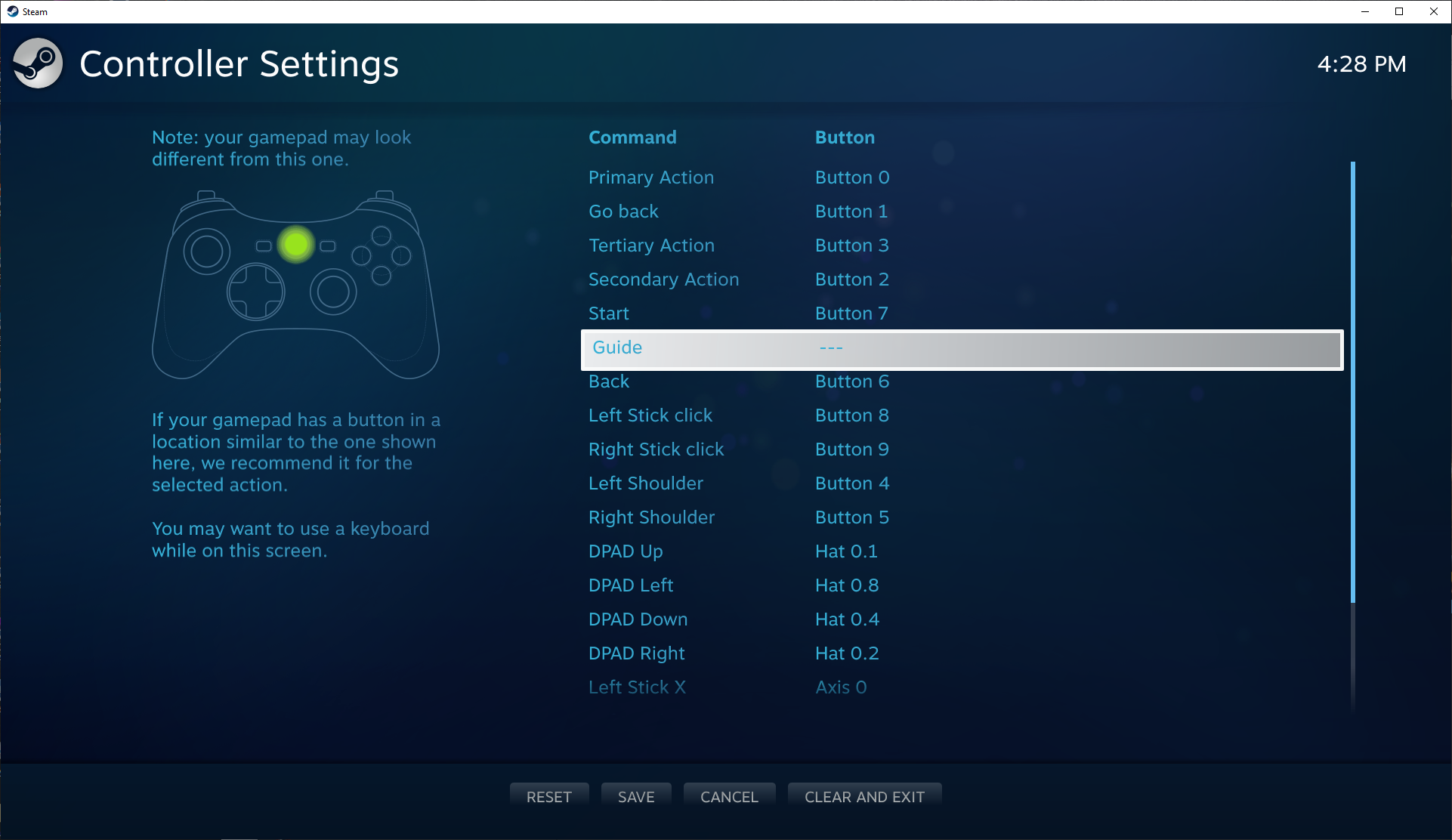
- Press
Yto save and thenBto close the controller settings - Test the Guide button now turns off without opening Big Picture.


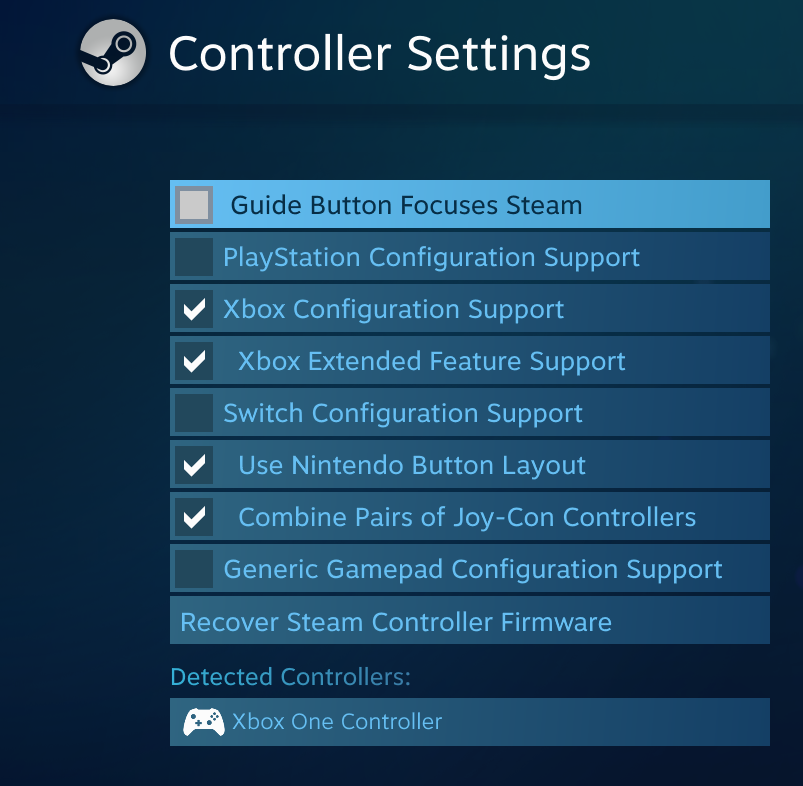


Ok yall, so i found the solution. I don't know if it screws with anything important, but now you must disable the Xbox Extended Feature Support button. This will also force your computer to restart, so be warned.
But it seems that it keeps the xbox button from triggering Big Picture mode, even when steam is open. I don't know if it disables any cool features in games, haven't tested it. But this will allow you to use the Game Bar with the xbox button without Big Picture Mode vomiting onto your screen, interrupting your game.
The Game Bar does function with this btw, I tested it. Hope this helps!